Remedly · Insurance billing
Multi-diagnosis & CPT code selection for insurance billing
I redesigned Remedly’s invoice screen so medical practices can bill treatments with multiple diagnoses and multiple CPT codes accurately, without leaving the system.
Recreated with Claude from the original product designs.
At a glance
One visit, many diagnoses, many codes
Problem
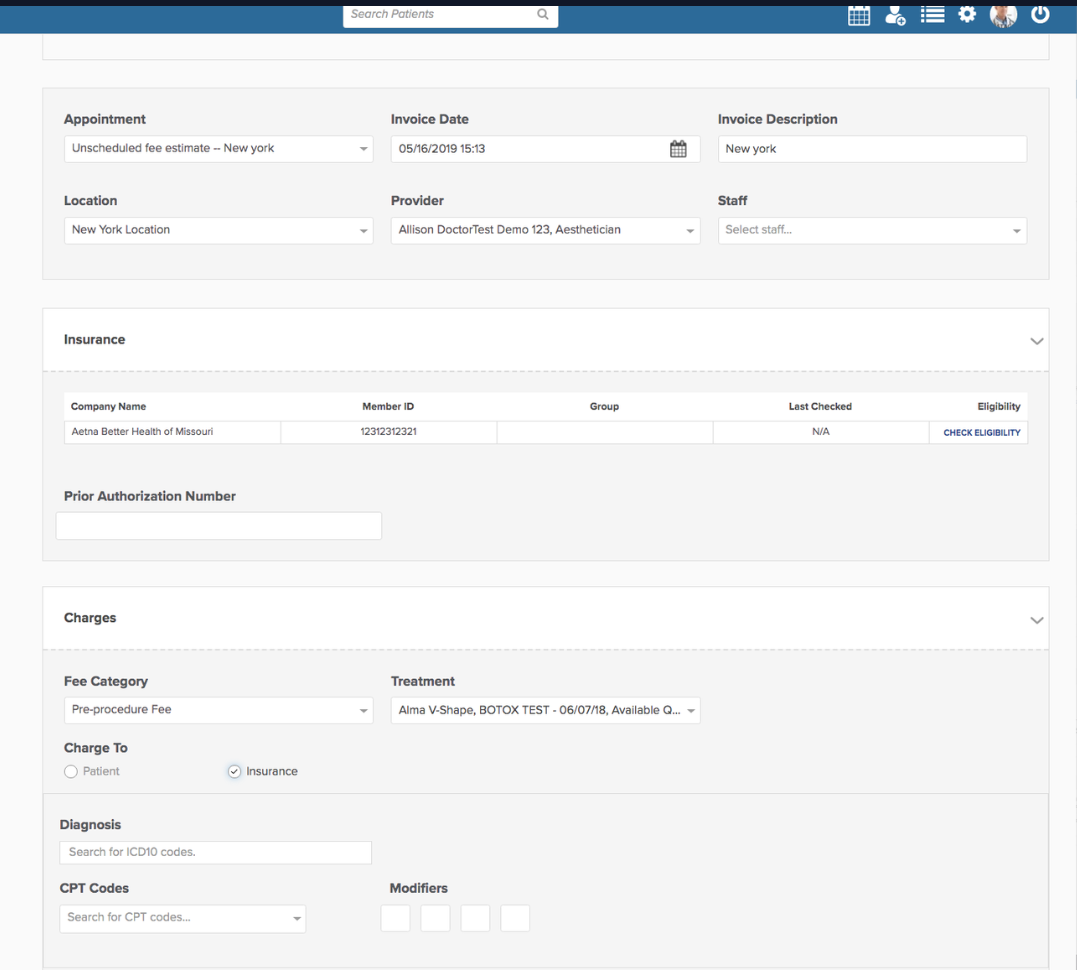
The invoice screen assumed a one-to-one relationship between a diagnosis and a CPT code. Real treatments often involve several of each, so complex cases needed manual workarounds outside the system.
My contribution
As lead designer, I owned the UX end to end: workflow modeling, competitive and standards research, iterative prototyping, and validation with the billing team.
Key decisions
- Select all applicable diagnoses up front
- Add multiple CPT codes, each with modifiers and units
- Link each CPT to its diagnoses from a pre-populated list
Outcome · Shipped
- Enabled accurate billing for multi-diagnosis treatments
- Reduced manual workarounds and billing errors
- Aligned system behavior with CMS standards
Overview
Insurance claims need the full clinical picture
During a patient visit, when insurance is selected as the payment method, medical practices must submit claims with accurate diagnoses and corresponding CPT codes. Many treatments address multiple diagnoses and require multiple CPT codes, often with different units and modifiers.
The existing payment flow didn’t support this real-world complexity, which led to billing errors, rework, and claim rejections.
Problem
The system assumed one diagnosis maps to one CPT code
Key limitations
- Only one diagnosis could be selected per visit
- Each diagnosis could support only one CPT
- CPTs couldn’t be mapped across multiple diagnoses
- Complex treatments required manual workarounds outside the system
Real-world example
A provider treats 15 moles
Billing that one visit takes three CPT codes. Each may need different modifiers, specific units, and an association with one or more diagnoses.
The system couldn’t handle this logic without errors.
17000First lesion17003Lesions 2–14 (with units)1700415+ lesions
Goals
Match the screen to how billing really works
- Support multiple diagnoses per visit
- Allow multiple CPTs per diagnosis
- Preserve billing accuracy and compliance (CMS-1500)
- Reduce cognitive load for front-office and billing staff
- Align the UI with real-world medical billing workflows
01 DiscoverResearch
Grounding the design in billing standards
I focused on three areas to make sure the design reflected both medical billing standards and how staff actually work.
Standards review
- Studied how diagnoses and CPTs are entered on the CMS-1500 claim form
- Mapped relationships between diagnoses, CPTs, modifiers, and units
Competitive & comparative analysis
- Reviewed workflows from several medical billing and EHR systems
- Analyzed how other platforms handle multi-diagnosis treatments, CPT grouping, and diagnosis-to-code mapping
Internal stakeholder interviews
- Partnered with internal billing specialists
- Validated edge cases, common errors, and mental models
- Identified where current workflows caused confusion or rework
02 ExploreExploration
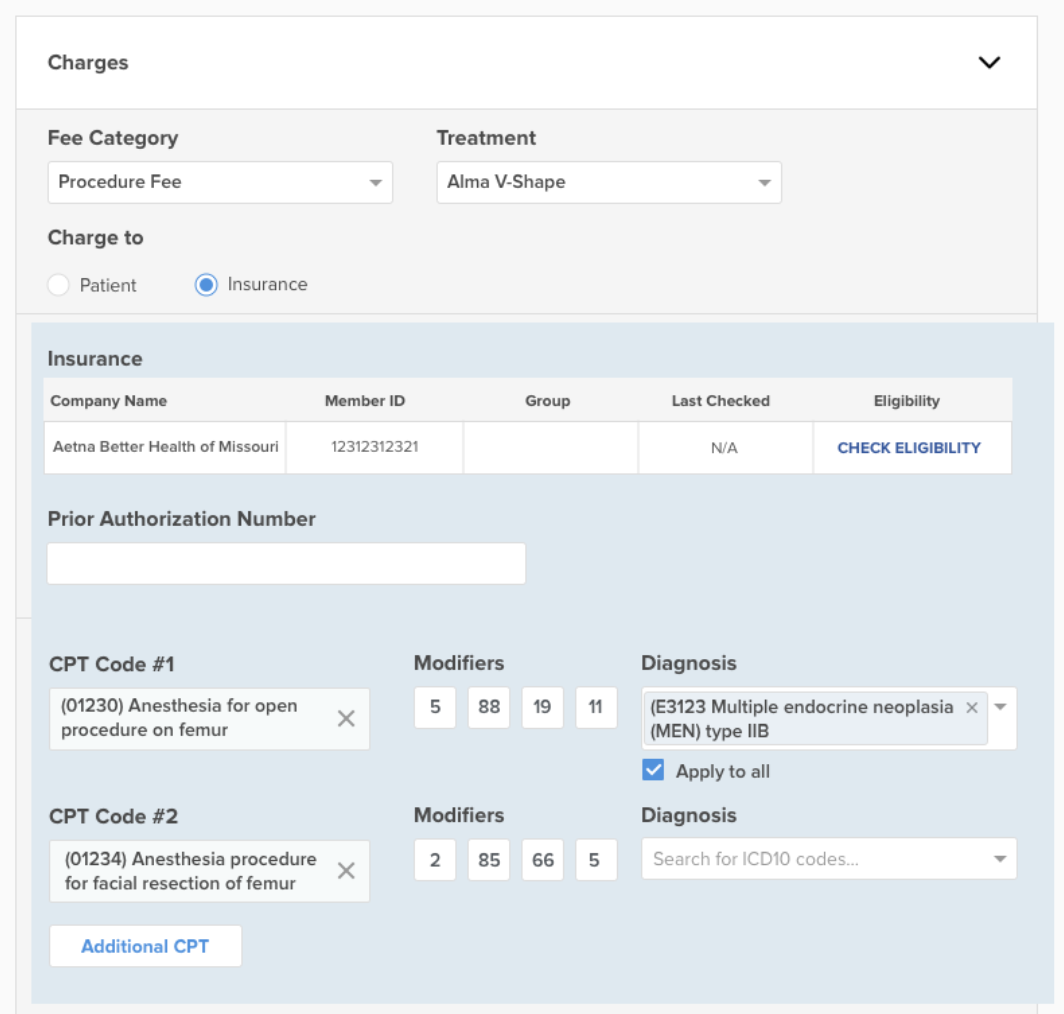
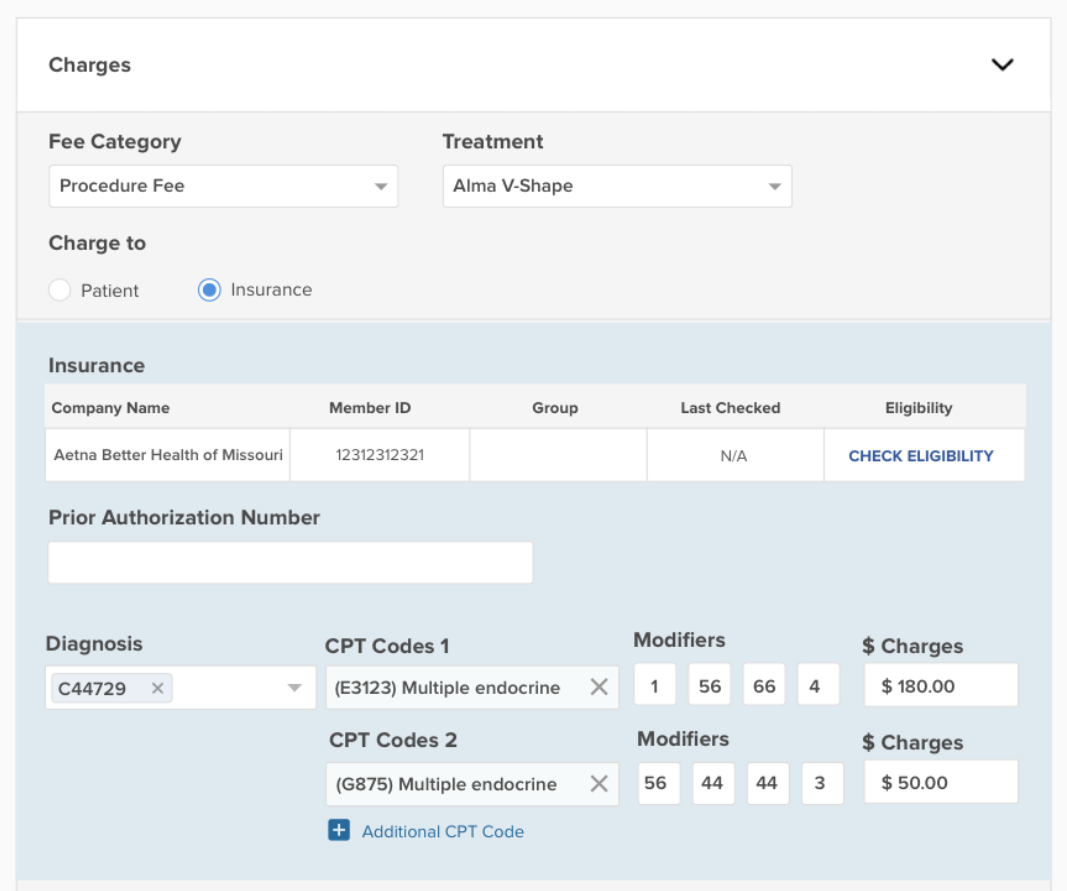
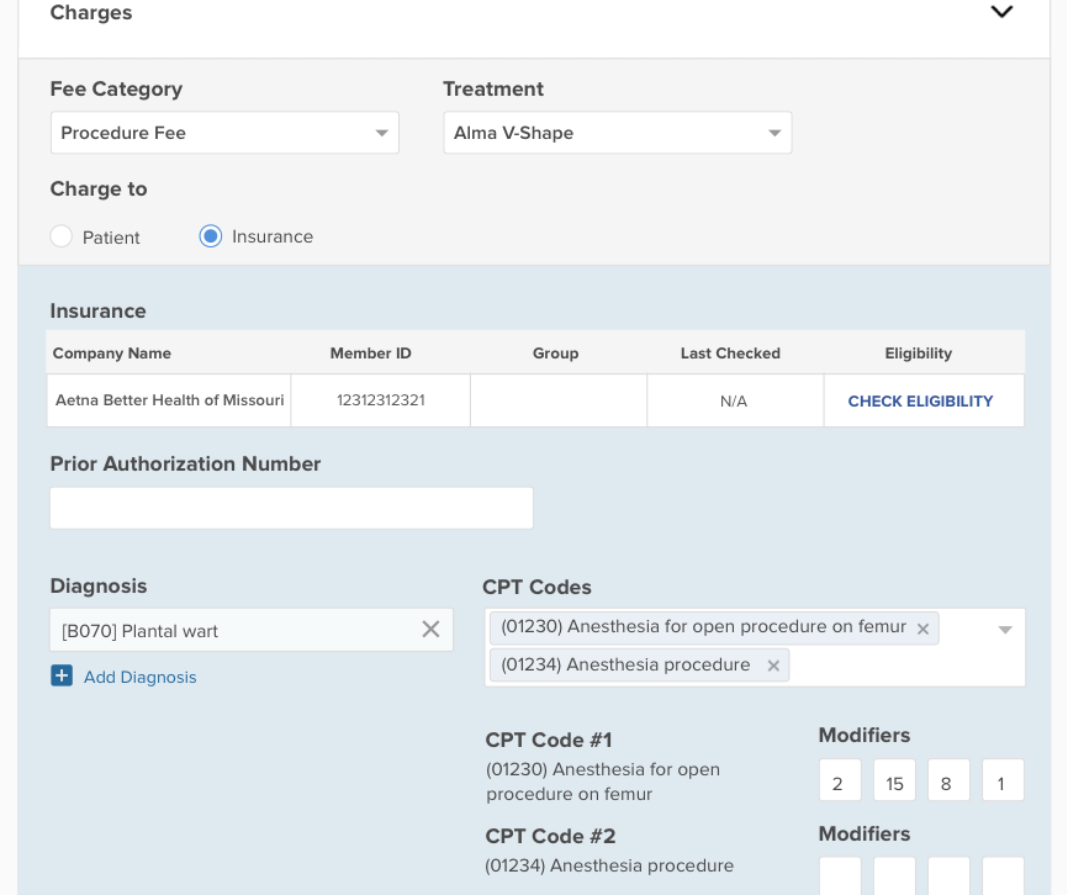
Exploring how to group and assign codes
I explored several layouts for CPT grouping, diagnosis assignment, and error prevention before arriving at the final design.
03 DecideKey design decisions
Four decisions that shaped the solution
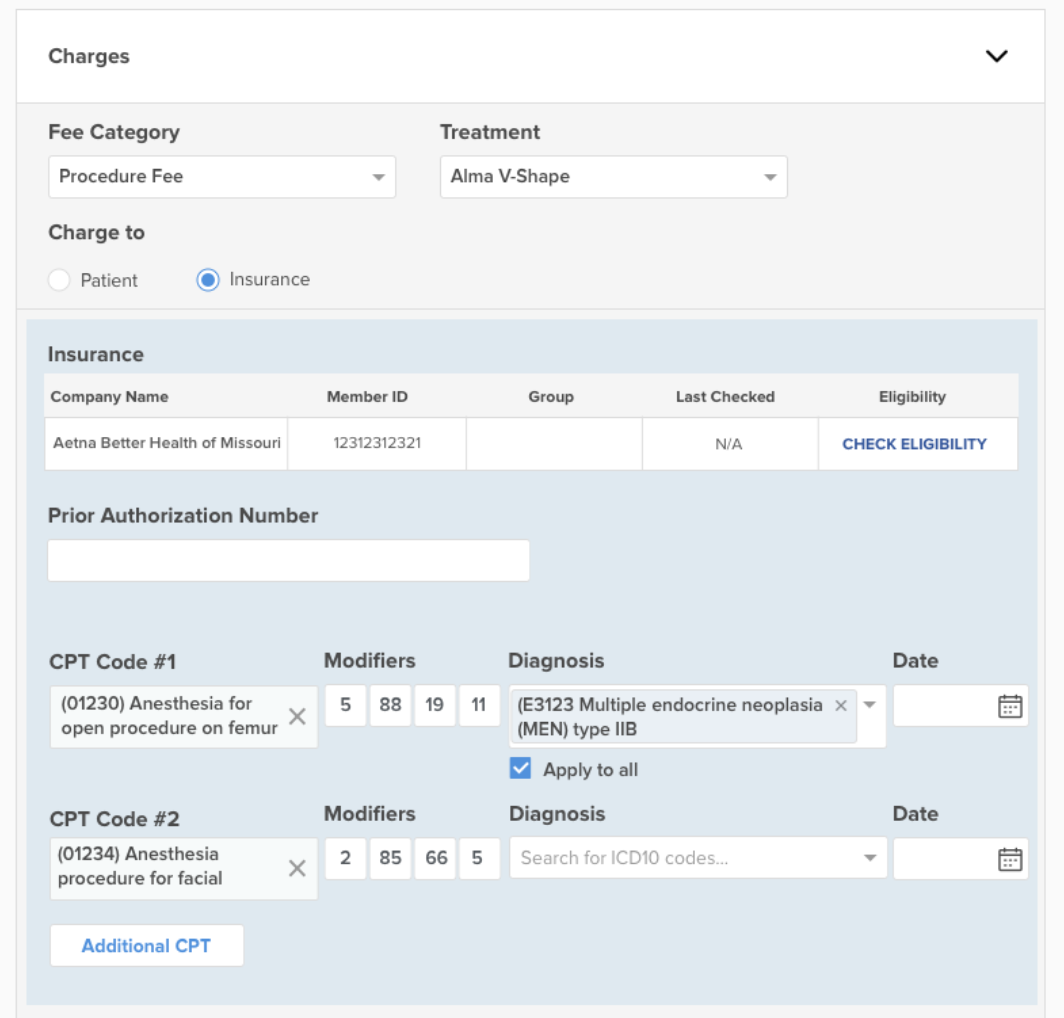
Diagnosis pre-selection
- Users select all applicable diagnoses up front for a treatment
- Diagnoses persist across CPT selection
Flexible CPT assignment
- Users can add multiple CPT codes
- Each CPT has a diagnosis association (via a pre-populated dropdown), modifiers, and units
Clear hierarchy & mapping
- The visual structure makes it clear which CPTs belong to which diagnoses, and how units and modifiers apply
- Reduces errors without adding complexity
Iterative validation
- Explored multiple design patterns for CPT grouping, diagnosis assignment, and error prevention
04 DeliverSolution
A redesigned payment & billing flow
I redesigned the existing payment screen to better reflect real-world medical practice while keeping the interface intuitive and efficient.
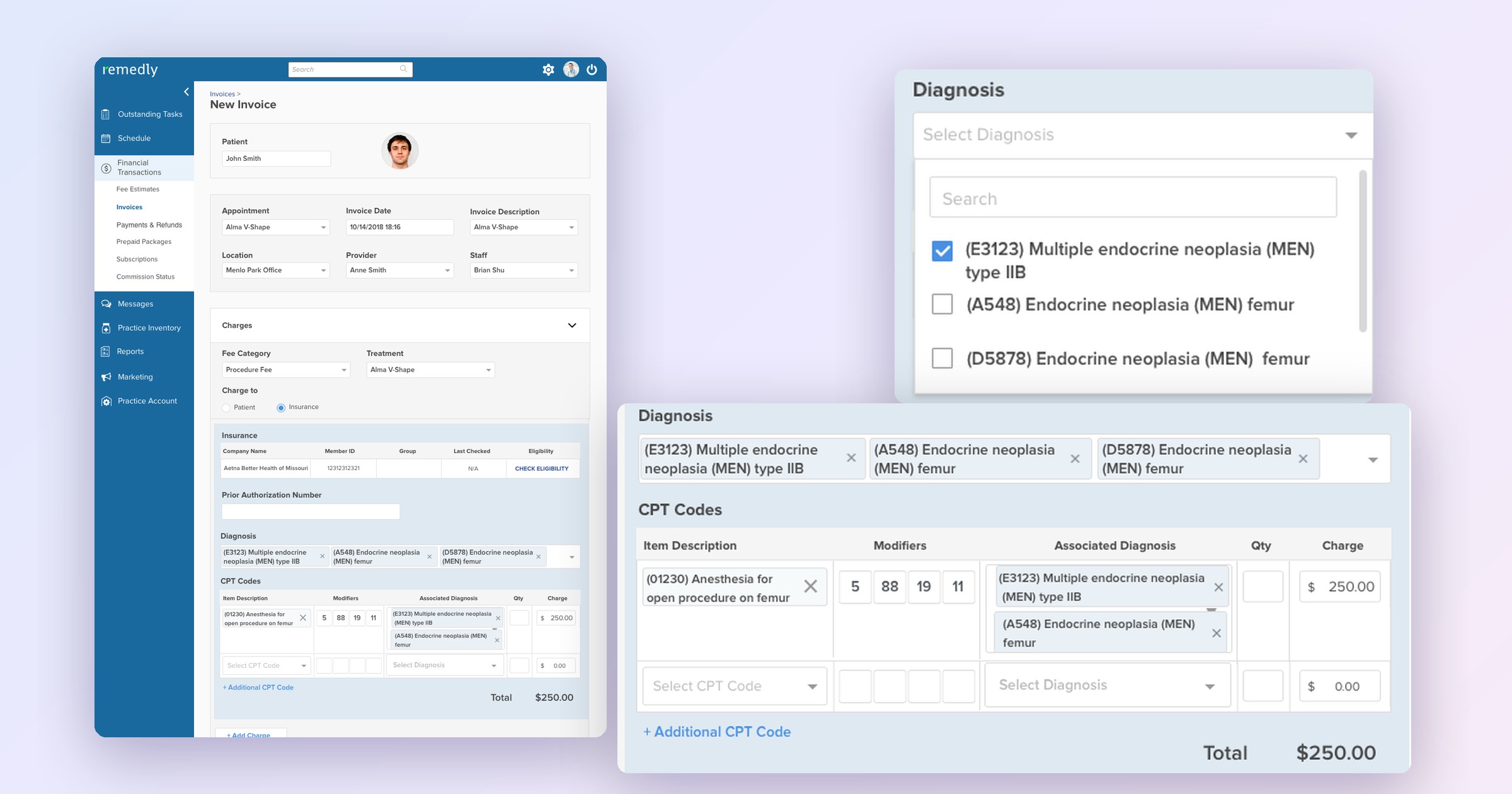
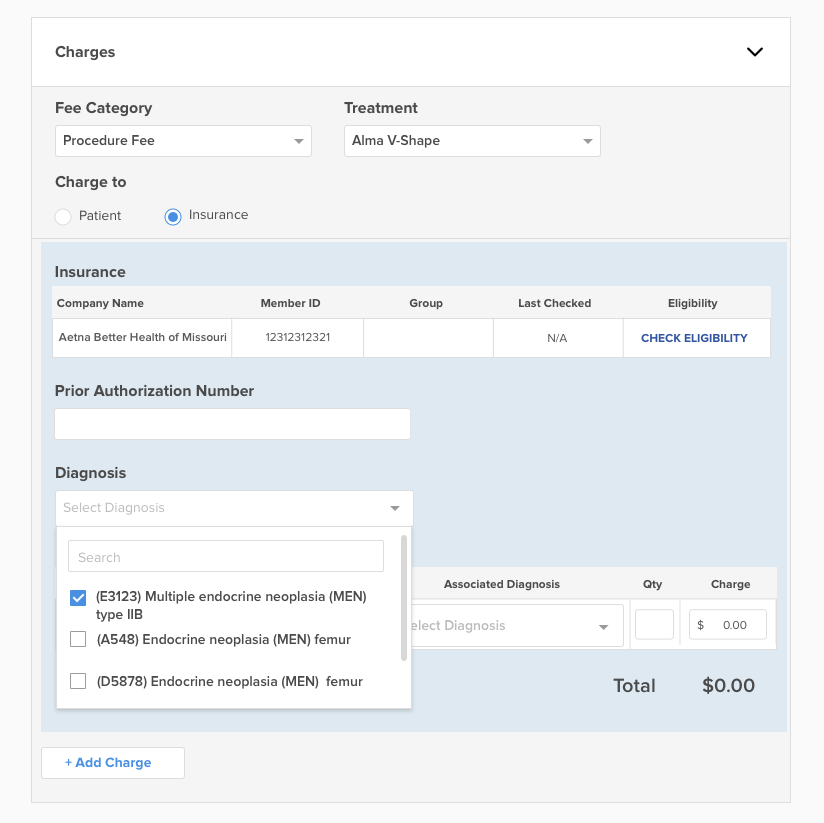
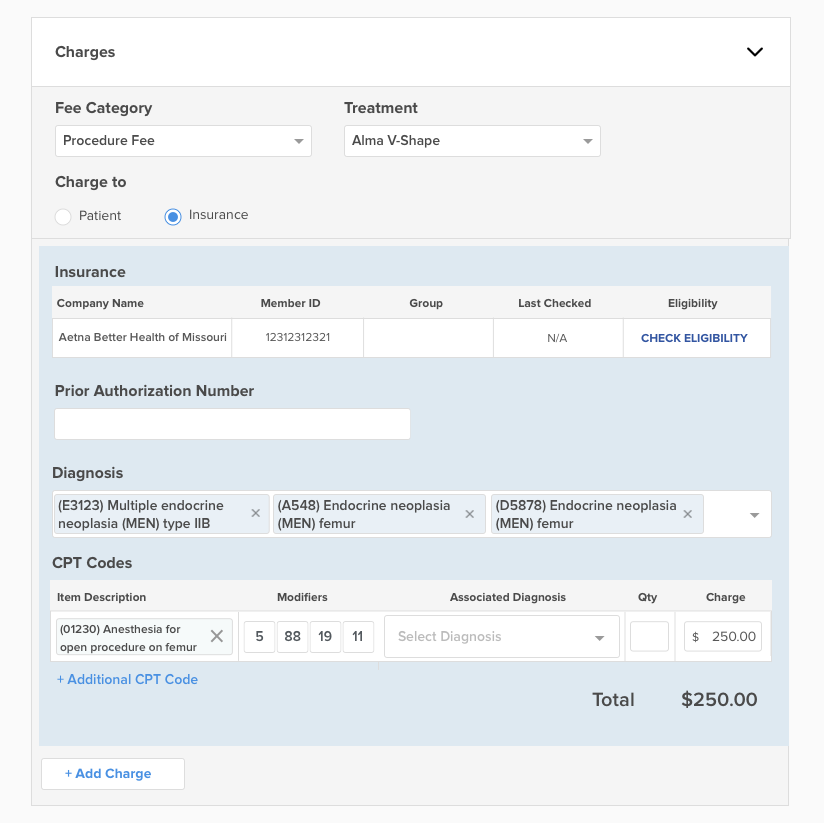
Select every diagnosis for the visit
When the charge goes to insurance, staff search for and select all applicable diagnoses at once. Each one appears as a removable chip.
Add a CPT code with modifiers and a charge
Each CPT line holds the CPT code, up to four modifiers, a quantity, and a charge. The total updates as charges are entered.
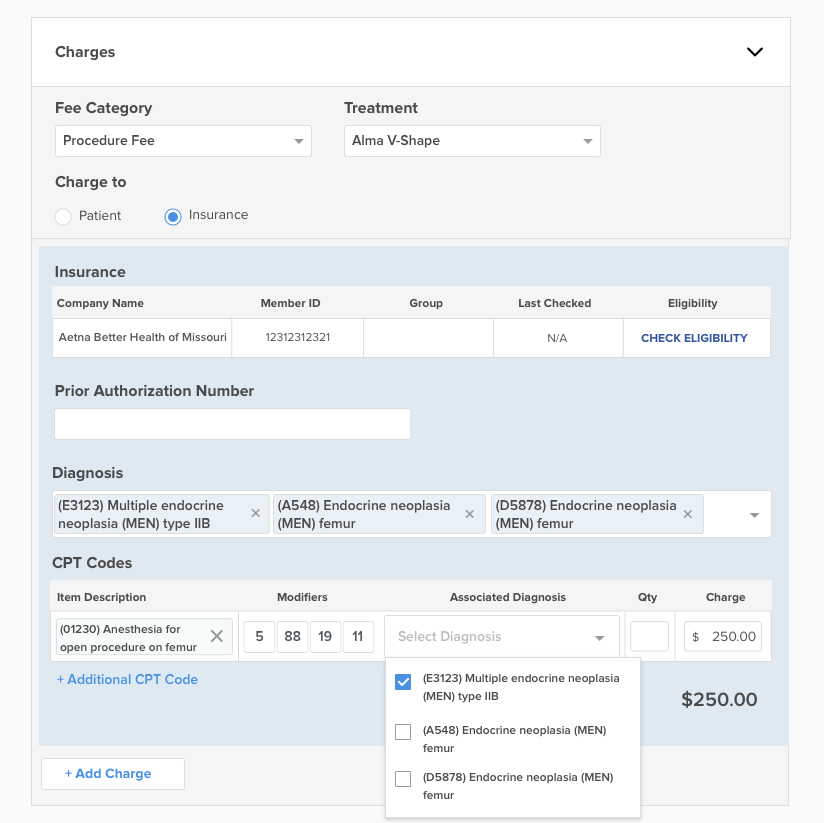
Link the CPT to its diagnoses
The Associated Diagnosis dropdown is pre-populated with only the diagnoses selected above, so staff choose from the diagnoses already recorded for the visit.
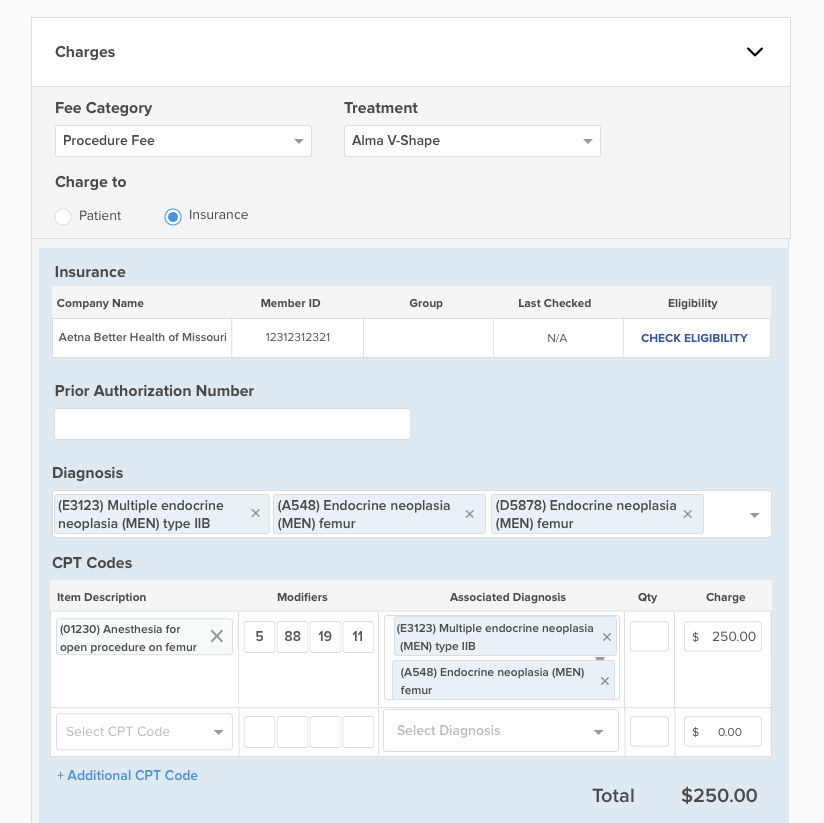
Map many diagnoses to many codes
A single CPT can carry more than one diagnosis, and additional CPT lines can be added for complex treatments, all in one clear structure.
05 PrototypeTry the prototype
Build an insurance invoice
A working recreation of the final New Invoice screen. Select diagnoses, add CPT lines, and create the invoice.
- Open Diagnosis and select two or three diagnoses.
- Pick a CPT code, then add modifiers, quantity, and a charge.
- Use Associated Diagnosis to link the CPT to one or more diagnoses.
- Add another CPT line, then Create Invoice. Try submitting early to see validation.
06 OutcomeOutcome
ShippedBilling that reflects real treatments
Enabled accurate billing for multi-diagnosis treatments
Reduced manual workarounds and billing errors
Improved claim readiness and confidence for staff
Aligned system behavior with CMS standards and real clinical workflows