CASE STUDY
EHEALTH INSURANCE
Plan Category Navigation
Reducing choice overload for Medicare shoppers through smarter, categorized plan browsing.
ROLE
Senior Product Designer
PLATFORM
Desktop/Tablet/Mobile
TEAM
PMs, Researchers, Engineers, Stakeholders
OVERVIEW
The TL;DR
Medicare Advantage shoppers were drowning in options. The existing eHealth plan list relied on horizontal scrolling and a flat, undifferentiated layout that made comparison difficult and caused users — many of them older adults — to disengage before enrolling.
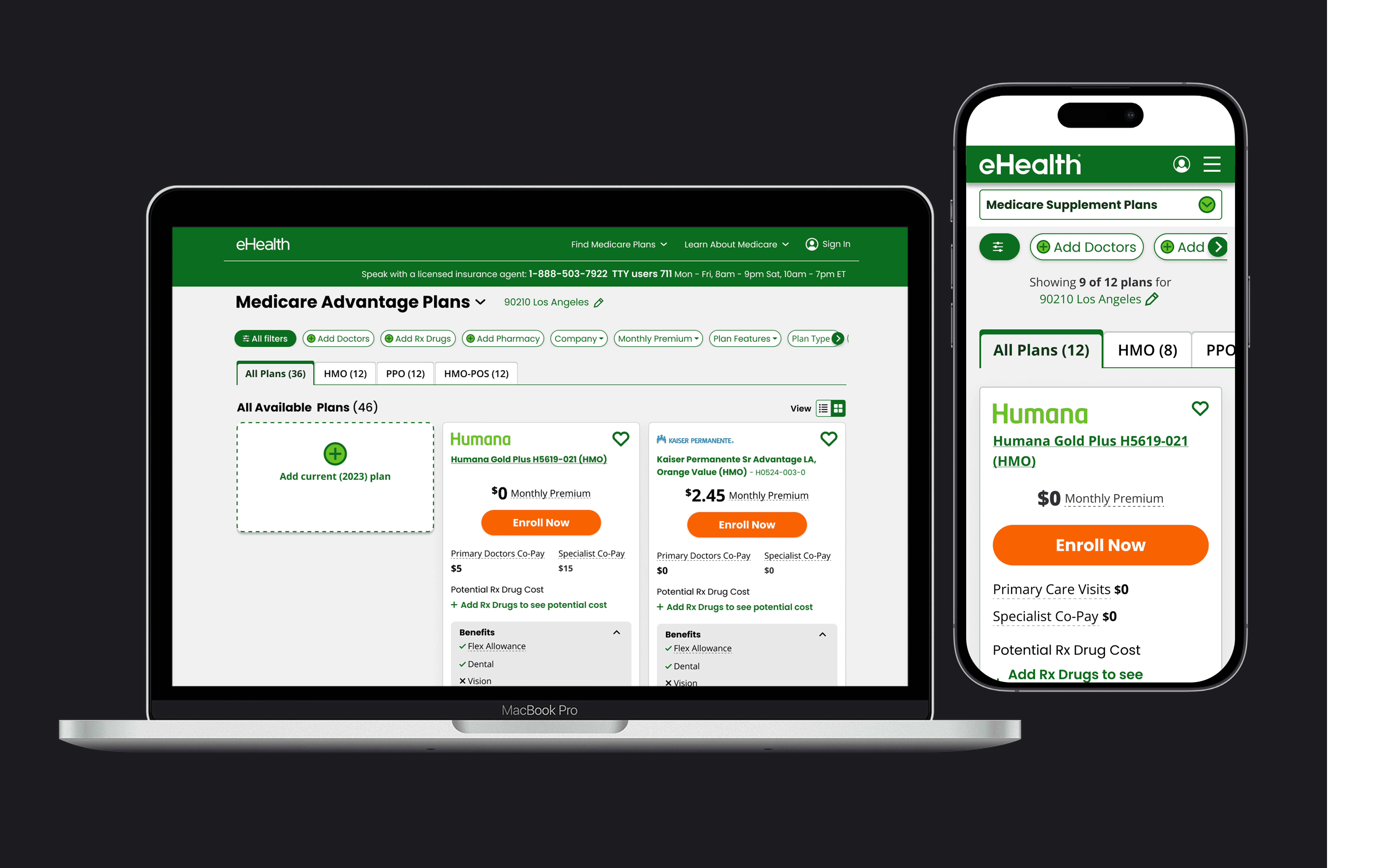
As Senior Product Designer, I led the end-to-end design of Plan Category Navigation: a restructured, vertically-scrolling plan list that introduced Quick Link Tabs to categorize plans by type (HMO, PPO, HMO-POS, Special Needs), giving users a clear mental model for narrowing their options without cognitive overload.
47 %
INCREASE IN USER ENGAGEMENT
Quick Link Tabs drove measurable engagement lift during the Annual Enrollment Period (AEP) while establishing a scalable, test-ready foundation for future iteration.
PROBMEN STATEMEBT
A plan list that confused more than it helped
Medicare Advantage shoppers on eHealth were presented with dozens of plans in a single, undifferentiated list. The original layout used horizontal scrolling and lacked any category structure, forcing users to scroll endlessly without a sense of how to narrow their choices.
For older adults — the primary audience — this wasn't just annoying. It was a barrier. The cognitive load of comparing 46+ plans with no organizational scaffolding caused users to stall, rely on agents, or abandon the flow entirely.
User Pain
No clear entry point
Users couldn't distinguish plan types or understand where to start narrowing their choices.
UX Friction
Horizontal scrolling failed
The layout pattern was unfamiliar to older users and made comparison across plans nearly impossible.
Mental Model Gap
Categories ≠ filters (to users)
Users conflated plan categories with filter controls, expecting them to behave like multi-select toggles.
Business Risk
AEP drop-off
The Annual Enrollment Period is time-critical. Confusion early in the flow translated directly to lost enrollments.
GOALS & SUCCESS METRICS
What success looked like
My goal was to introduce plan categories within a more intuitive, vertical layout — helping older adults quickly understand their options and filter plans without confusion. The design needed to work for both first-time Medicare shoppers and returning enrollees comparing their existing plan against new options.
USER GOAL
Help users narrow down options with ease
Reduce time-to-comprehension for users landing on the plan list for the first time.
DESIGN GOAL
Clarify categories, filters, and sort
Establish a clear, consistent mental model that separates these three controls in users' minds.
ACCESSIBILTY GOAL
Reduce cognitive load for older adults
Design for ages 65+ — minimize visual noise, prioritize familiar interaction patterns.
BUSINESS GOAL
Increase plan engagement during AEP
Drive measurable lift in plan interaction rates, measured by click engagement on plan cards and tabs.
RESEARCH & DISCOVERY
Three design directions, each asking a different question
Rather than jumping to a solution, I created three distinct design variations of the tab structure. Each tested a different hypothesis about how users would interpret category navigation.
3
INTERACTIVE PROTOTYPES
Each testing different tab placements, visual treatments, and interaction patterns.
5
USABILITY TESTING
30 minutes each, with desktop users ages 65+ currently enrolled in Medicare Advantage.
Sessions focused on three core areas: clarity of category vs. filter distinction, discoverability of navigation options, and ease of narrowing and exploring plan results. Participants were asked to find a plan that covered their doctors, compare a $0 premium plan to their current plan, and switch between plan categories.
01
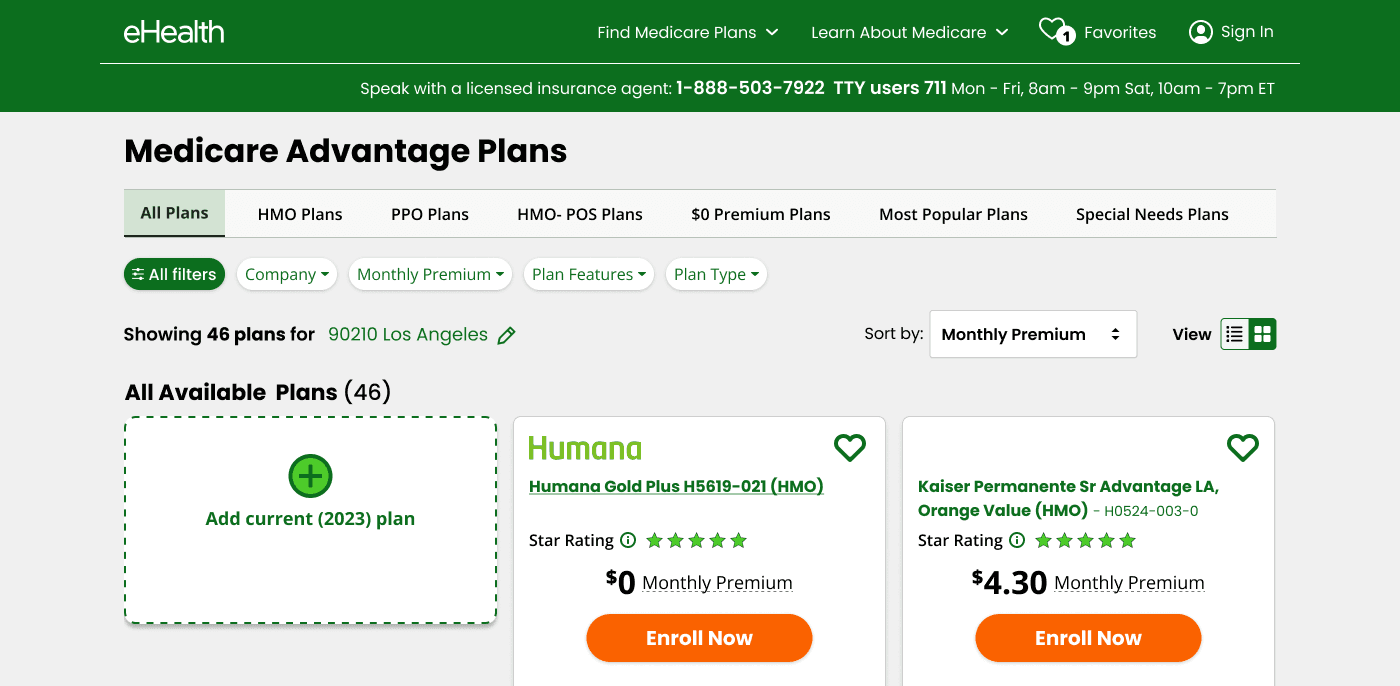
Tabs above filters — button-style treatment
Category tabs positioned above the filter row, styled as pill-shaped buttons. Tested whether visual differentiation from filters was enough to prevent conflation. Key question: does placement alone communicate "these are categories, not filters"?
02
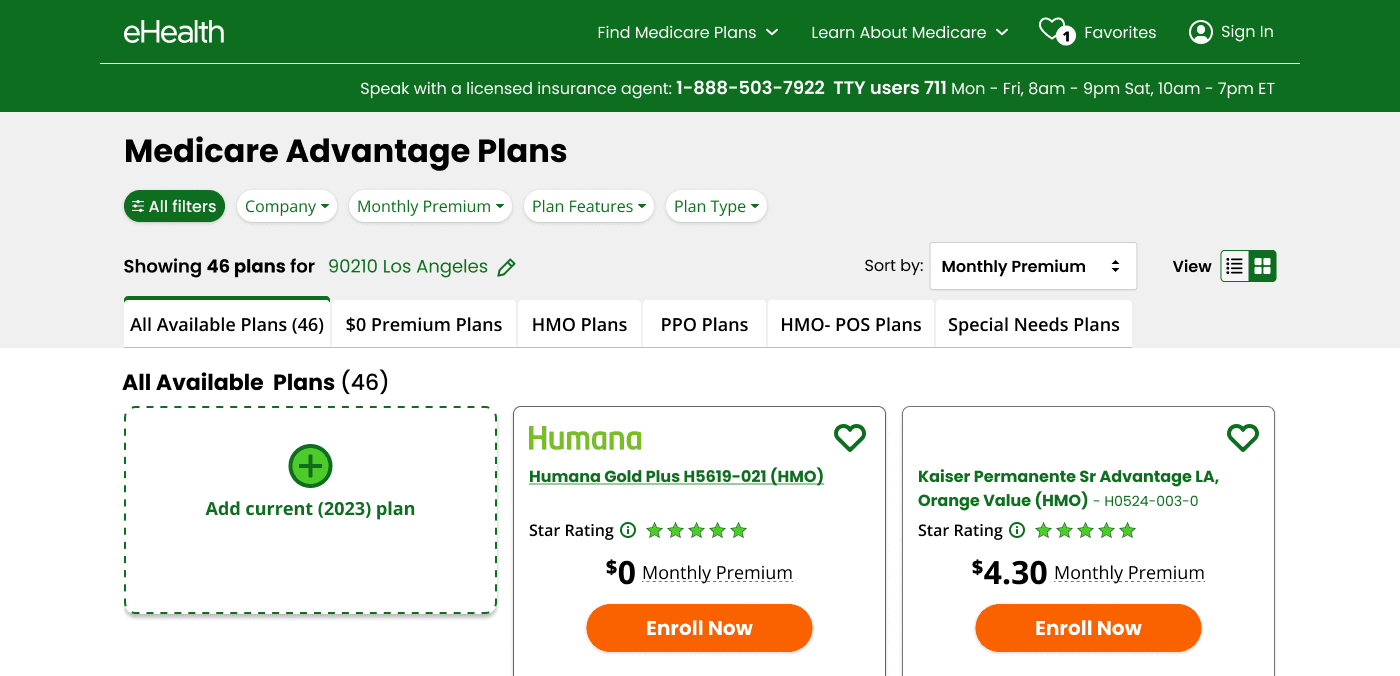
Tabs below filters — expanded category set
Tabs positioned below filters, showing more categories (HMO, PPO, HMO-POS, $0 Premium Plans, Most Popular, Special Needs). Tested whether more category options helped users find their entry point faster — or overwhelmed them further.
03
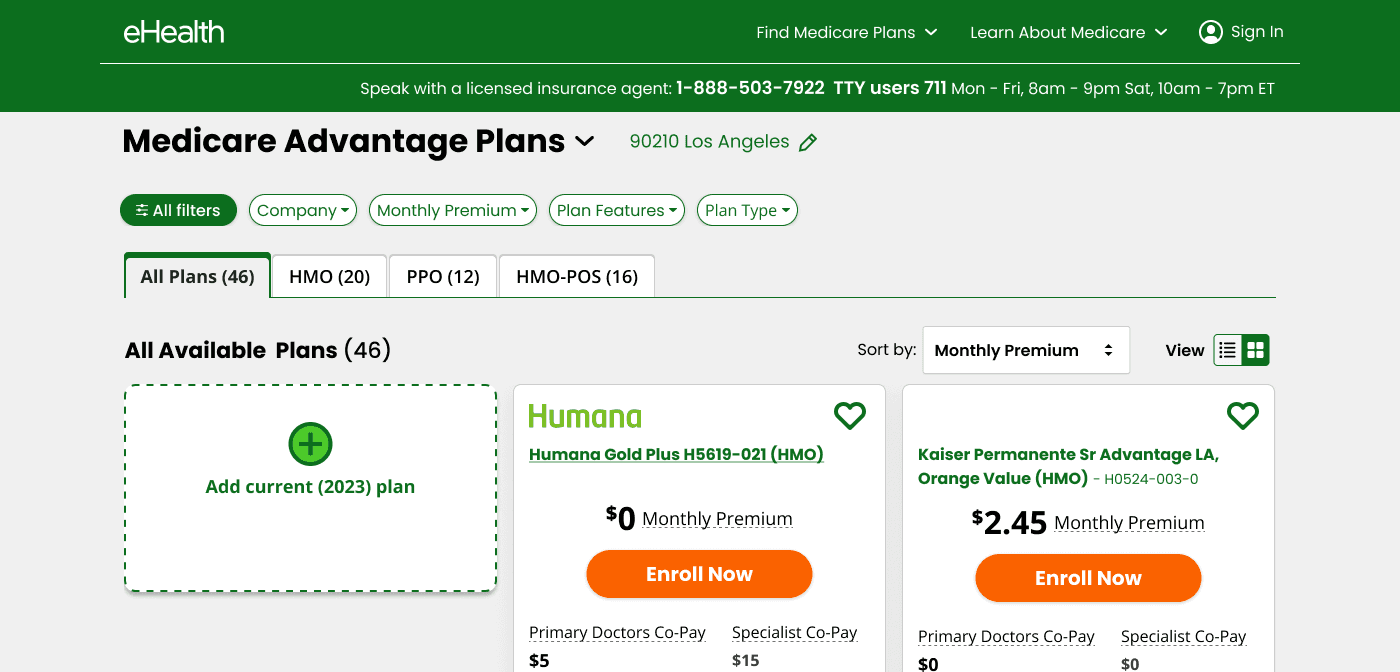
Traditional tabs — minimal set, clean hierarchy
Standard underlined tab pattern, positioned below filters, with a minimal category set (All Plans, HMO, PPO, HMO-POS, Special Needs). Tested whether a familiar UI convention reduced the category/filter confusion entirely.
FINDINGS & DECISION
Four key findings. Four decisive design choices.
My goal was to introduce plan categories within a more intuitive, vertical layout — helping older adults quickly understand their options and filter plans without confusion. The design needed to work for both first-time Medicare shoppers and returning enrollees comparing their existing plan against new options.
Finding → Decision 01
Categories were misread as filters → Present them as tabs
Traditional tab UI (single-select, underlined) immediately resolved the conflation issue. Users stopped trying to multi-select categories and understood the "view mode" metaphor once the visual language matched their expectations.
Finding → Decision 02
Filters served dual directions → Establish a consistent rule
Filters narrow results within the selected category. Any filter option that would logically contradict the active category is hidden — keeping the mental model clean and predictable. This eliminated a class of confused states users had previously encountered.
Finding → Decision 03
Plan counts were ambiguous → Display both total and per-category counts
"All Available Plans (46)" always reflects the full count for the user's ZIP code. Each tab label shows its own count inline. This two-level count system gave users a reliable reference point at both the macro and micro level.
Finding → Decision 04
Sort was mistaken for a filter → Remove Sort entirely
Rather than re-labeling or repositioning the sort control, I made the call to remove it from the initial design. The cognitive cost of the confusion outweighed the value of sort for this audience and this decision point.
FINALSOLUTION
Quick Link Tabs: categorized plan browsing that actually works
The final design introduced a clear two-layer navigation system for the Medicare Advantage plan list. Below the filter bar, a row of Quick Link Tabs — All Plans, HMO, PPO, HMO-POS, Special Needs Plans — gives users immediate access to meaningful plan categories without disrupting the filter system.
Tabs behave as single-select: Selecting a tab changes the plan universe. Switching to another tab exits the previous one — no deselect needed.
Filters persist across tabs: A filter set while viewing HMO plans carries forward when the user switches to PPO, making comparison across categories fluid.
Contradictory filters are hidden: If a filter option would produce zero results in the current category, it disappears — preventing dead ends.
Plan counts are always visible: Total count in the section header, plus count per tab, so users always know how many options they're working with.
Sort removed: Eliminated to reduce cognitive load for older adults, freeing visual and mental space for the navigation that matters.
The design shipped on both desktop and mobile, with the mobile layout adapting the tab row into a horizontally scrollable strip to preserve screen real estate while maintaining the same interaction model.
RESULTS & IMPACT