Independent AI product concept
An AI coach for turning ideas into testable prototypes
I designed and built CoSprint, an AI-guided workspace that takes a designer from a rough product idea to a tested prototype. The project was an experiment in rapid prototyping: using Claude Code, together with Figma, ChatGPT, and Maze, to go from concept to a working product.
Built with Claude Code
01 ConceptOverview
From a rough idea to a structured, testable prototype
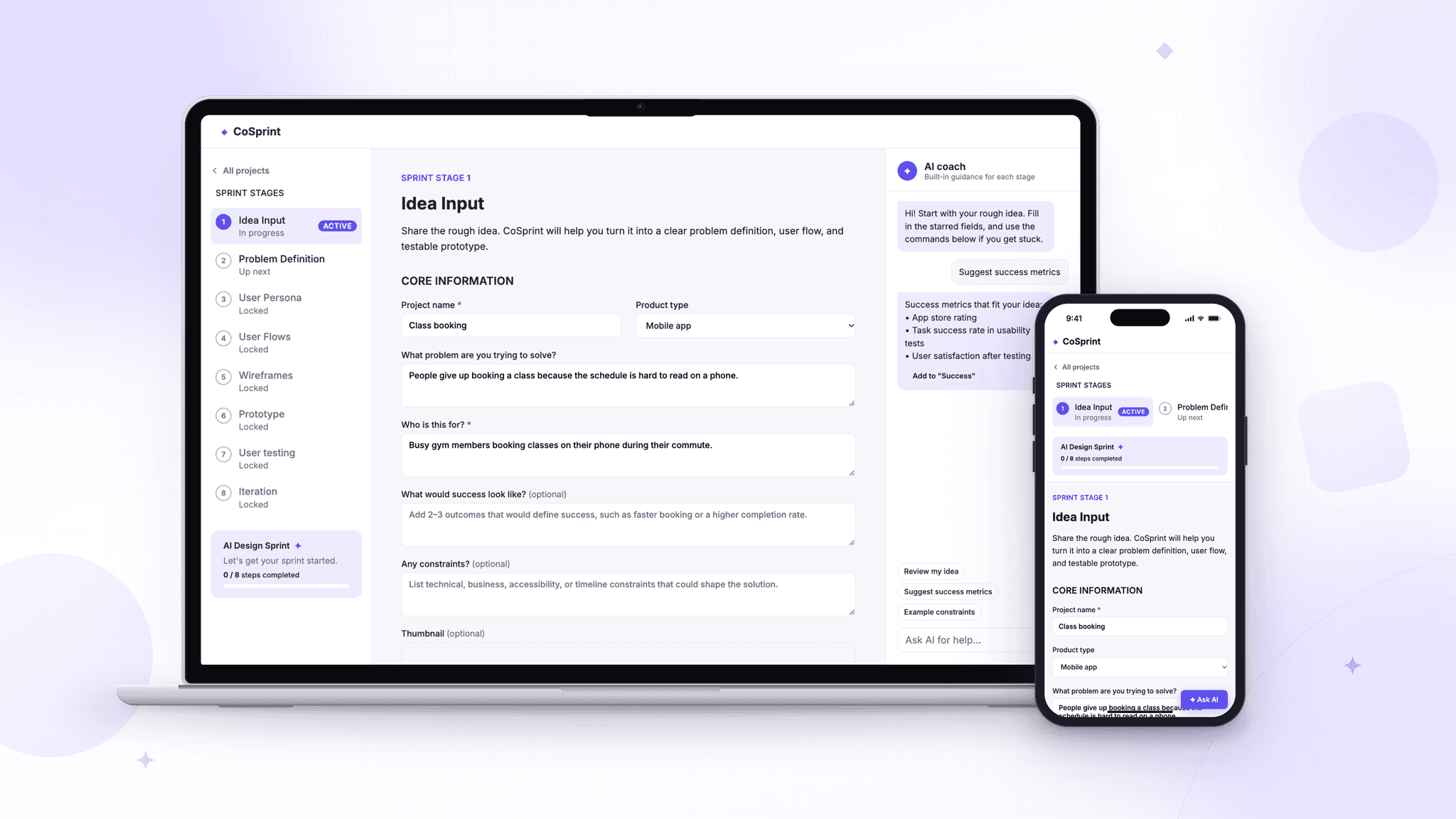
CoSprint is an independent concept for an AI coach that helps product designers move from a rough idea to a structured, testable prototype. I designed the workflow and interface, then used Claude Code to build and iterate on a responsive prototype.
Problem
Turning an early idea into a clear plan takes many decisions: what to define, what to do next, and how to test the result. CoSprint explores how guided prompts and stage-by-stage support could help designers move forward while keeping control of the work.
What a sprint creates
- Problem definition: the user, pain points, and opportunity
- Core user flow: the main path from start to outcome
- Test-ready prototype: wireframes, prototype tasks, and testing notes
- Idea Input
- Problem Definition
- User Persona
- User Flow
- Wireframes
- Prototype
- User Testing
- Iteration
Try the prototype
Start a sprint
The working CoSprint prototype, built with Claude Code. Create a project and move through the first two stages with the built-in coach.
- Click + New project and describe a rough idea.
- Open Ask AI and tap Review my idea or Suggest success metrics.
- Continue to Problem Definition and watch the coach give feedback as you type.
- Complete the stage to create a project brief, then find it on the dashboard.
02 ToolkitHow I built it
One workflow, four tools
This project was about rapid prototyping with AI. Each tool had one job, and Claude Code turned the design into a working product I could keep iterating on.
Build
Claude Code
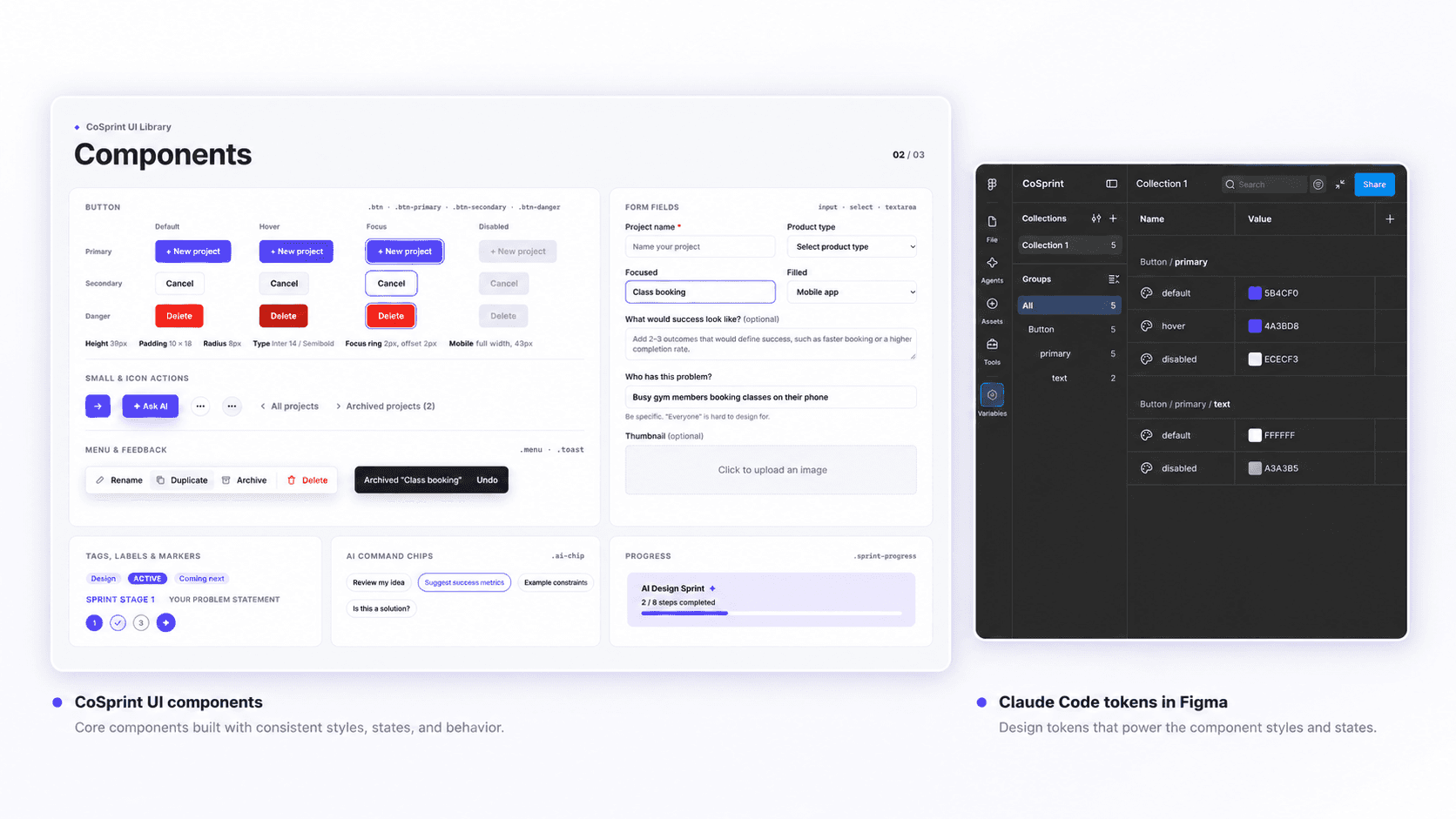
Built and iterated on the interactive, responsive prototype, and helped define reusable button states.
Design system
Figma
Recreated the button states as Figma variables to keep the prototype consistent.
Brand
ChatGPT
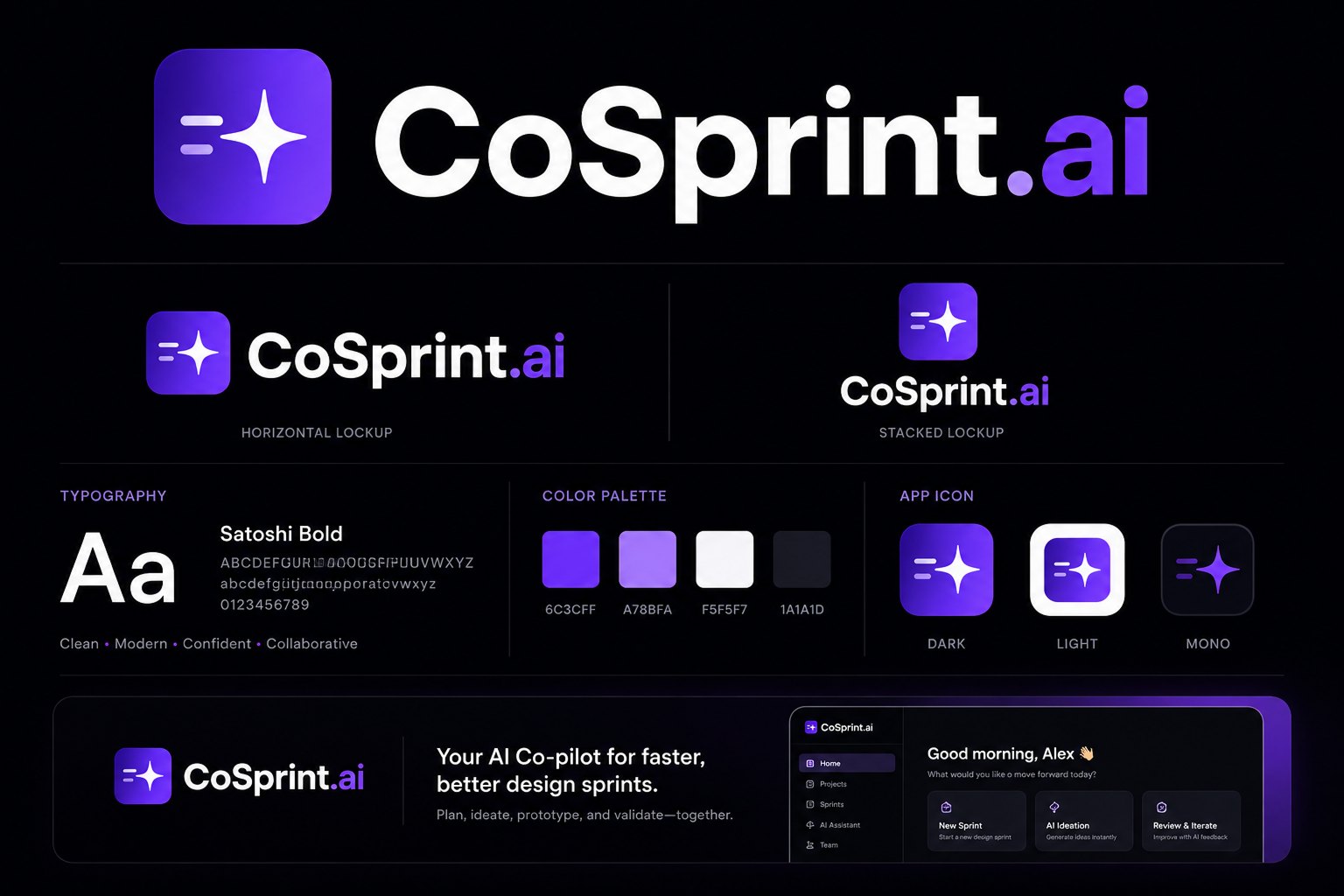
Explored the CoSprint brand board: logo lockups, typography, color palette, and app icon.
Testing
Maze
Tested the prototype with 5 participants.
The coaching logic
CoSprint Sprint Planner skill
I created a Sprint Planner skill to make the coaching approach concrete. It helped me explore how AI guidance could support each step while keeping the designer in control.
01Clarify the problem02Identify assumptions03Plan a focused test
03 ProductSprint stages
Eight guided stages, one AI coach
Each stage turns the previous output into the next one. An AI coach sits beside the work with insights, critiques, and gaps to fix.
You stay in control
Every AI output can be edited, regenerated, or approved before moving on.
Coach, don’t decide
The AI coach suggests insights, gaps, and critiques. The designer makes the call.
Visible progress
Eight stages with clear states and a progress tracker show where you are.
Test-ready outputs
Each stage produces something usable, from a problem map to a clickable prototype.
04 BuildFrom design to working product
Built with Claude Code
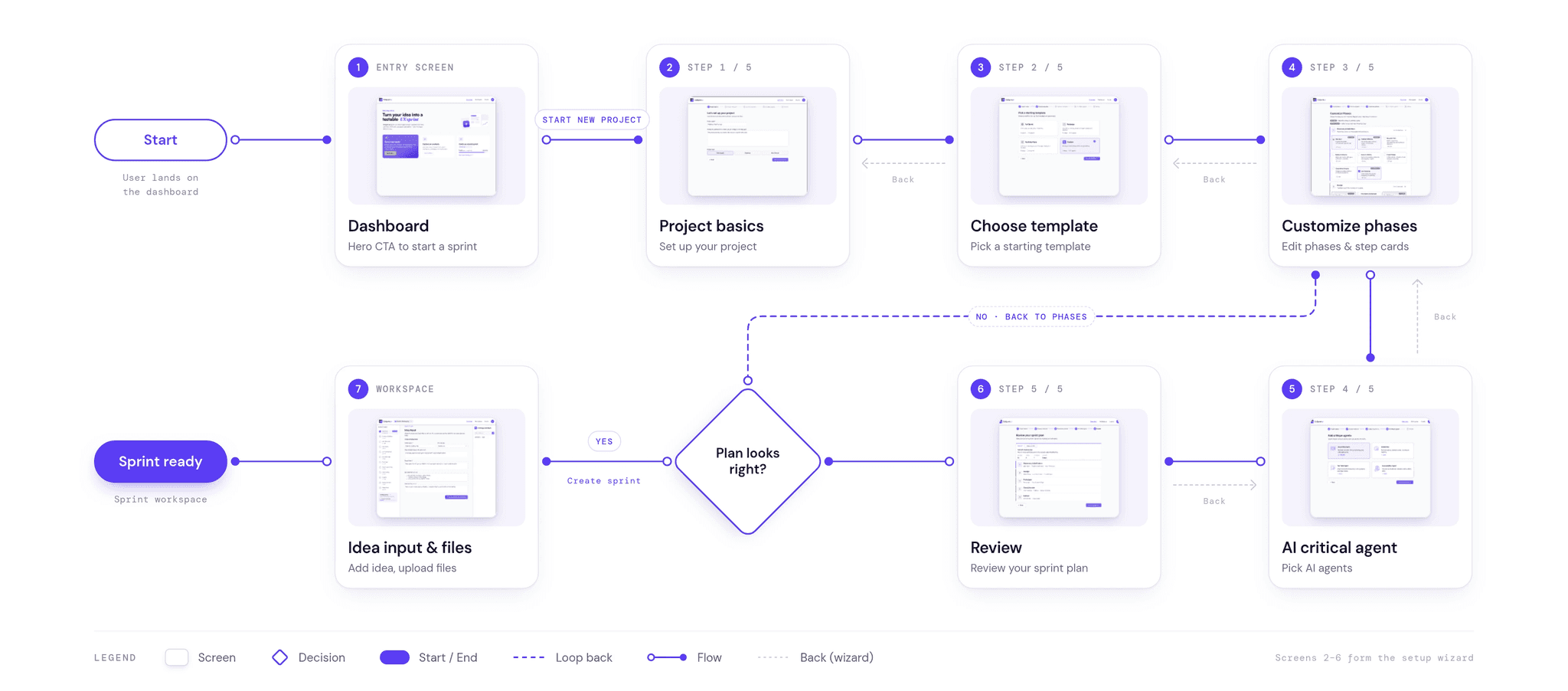
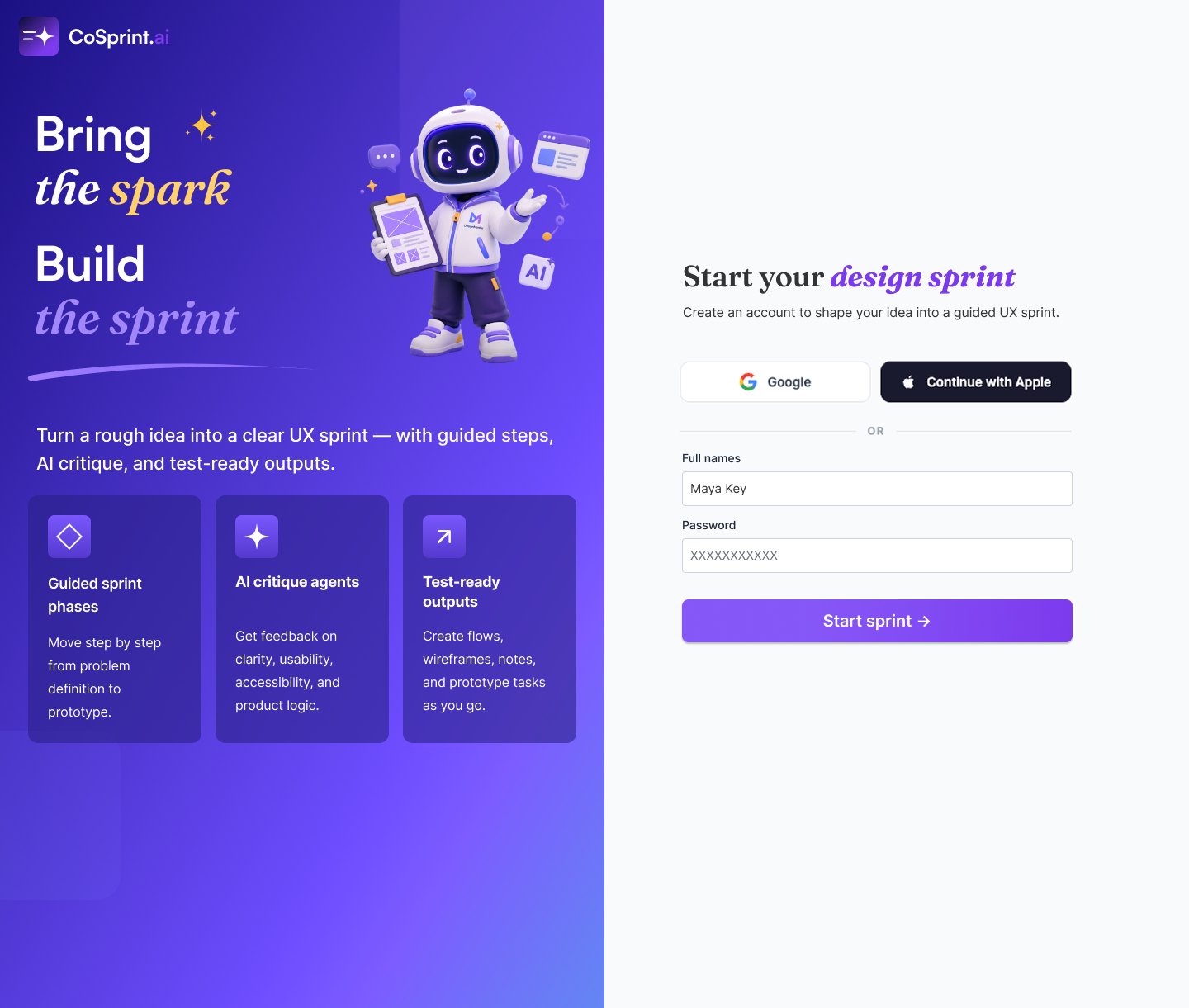
A guided setup helps designers shape an initial idea into a sprint plan, then continue into a workspace for each stage.
User journey
Brand
Design system
From Claude Code to Figma variables
I used Claude Code to help define the design tokens and reusable button states, then recreated them as Figma variables. The code and the Figma file share the same names and values, which keeps the prototype consistent.
- 1
Define the basics in code
Colors, type, spacing, and corner radius become named tokens.
- 2
Name them by purpose
A raw color becomes “primary”, then “primary button background”.
- 3
Build components with states
Buttons get default, hover, focus, and disabled styles from those tokens.
- 4
Mirror them in Figma
The same tokens become Figma variables, so design and code match.
Example: one color, from code to Figma
--color-purple-500#5B4CF0--color-primaryThe brand’s main action color--button-primary-bgPrimary button backgroundButton / primary / default5B4CF0 · hover 4A3BD8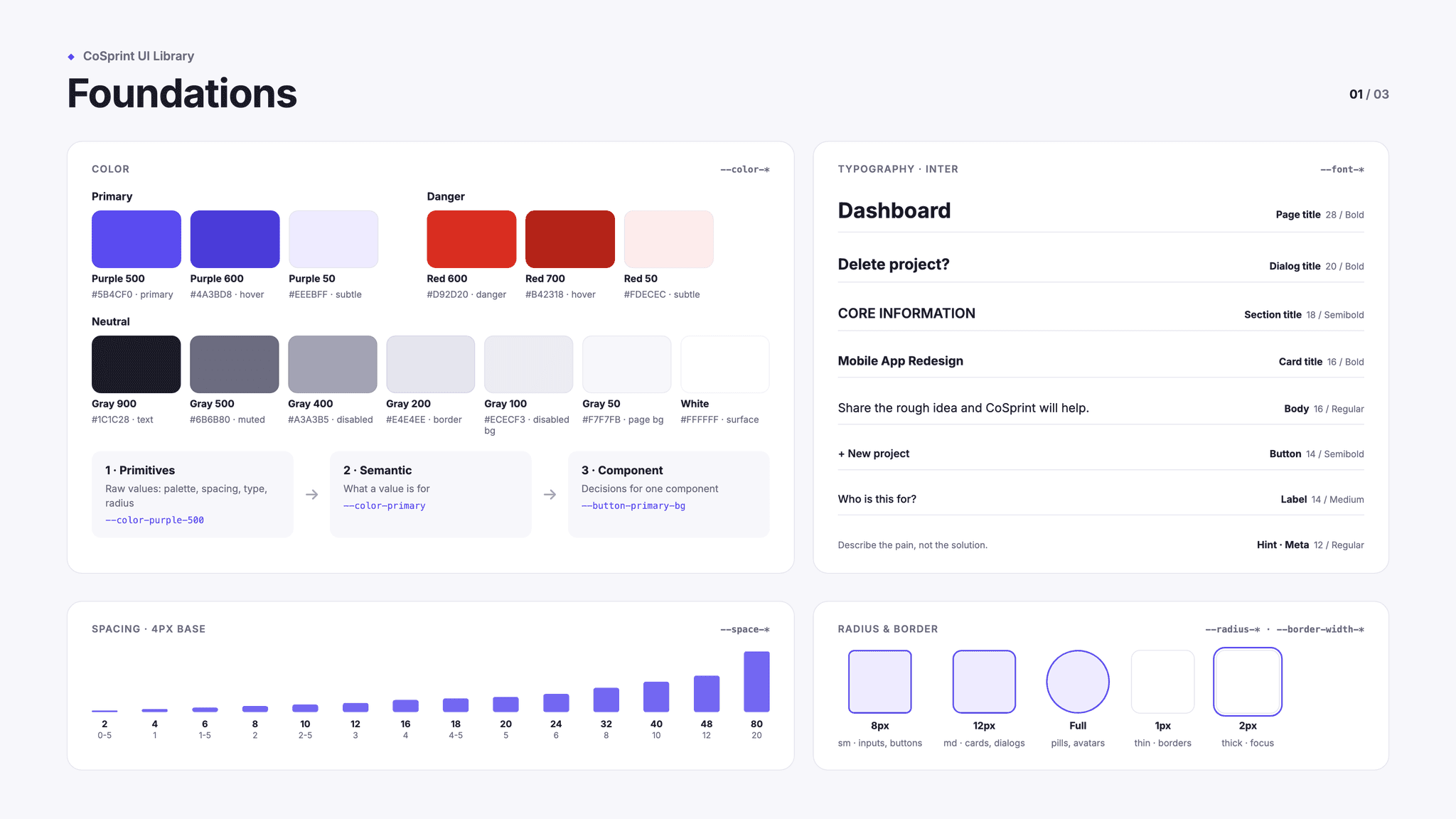
05 TestUsability testing
Tested with 5 people on Maze
I tested the CoSprint prototype with 5 participants using Maze.
- 5
- Participants
- Maze
- Testing platform
06 FinalResponsive prototype
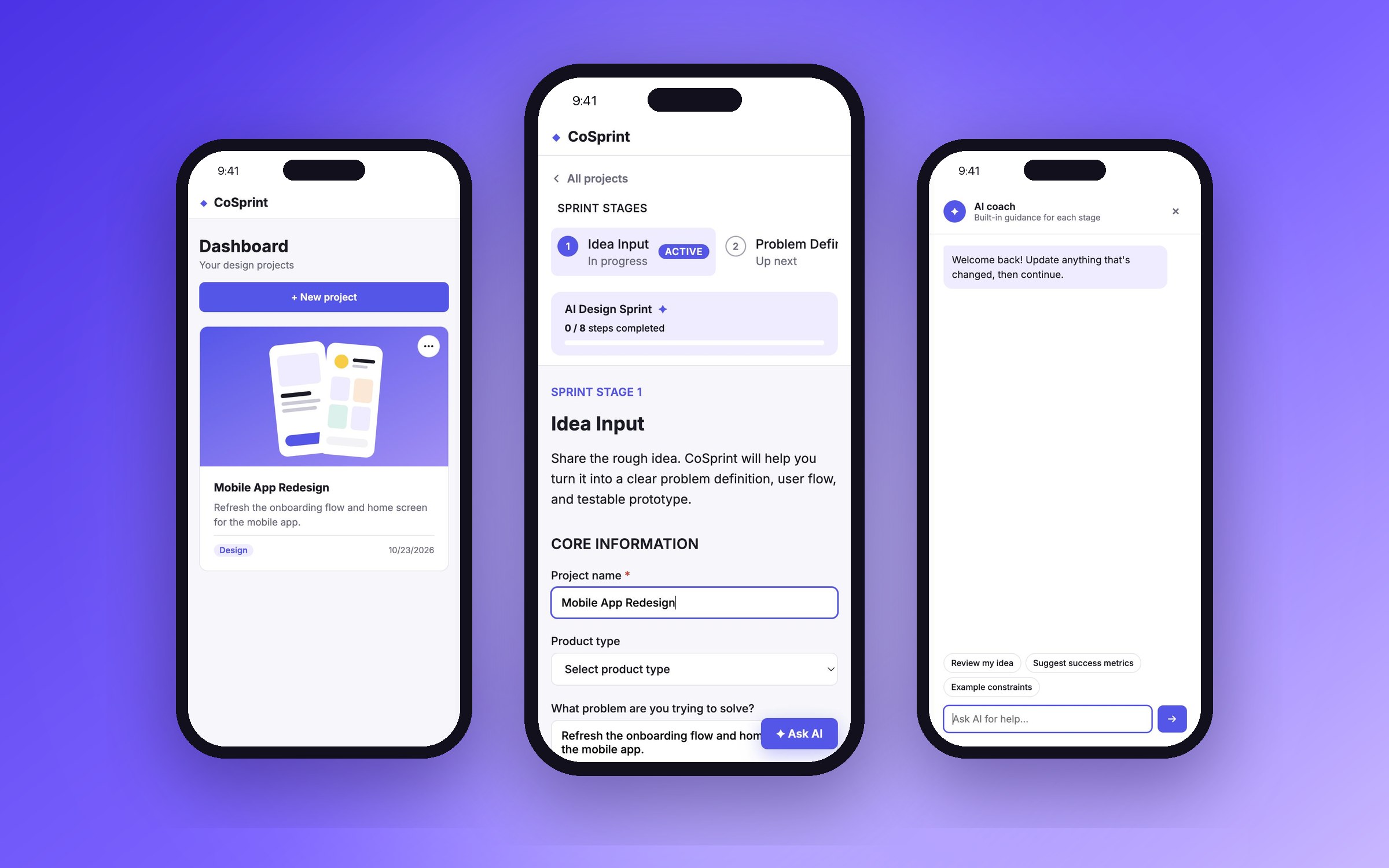
From desktop to phone
I built CoSprint as a responsive prototype, so the whole sprint works on a phone as well as on a desktop: from the project dashboard, through each stage, to the AI coach.