Remedly · B2B healthcare dashboard
A billing dashboard built around the next action
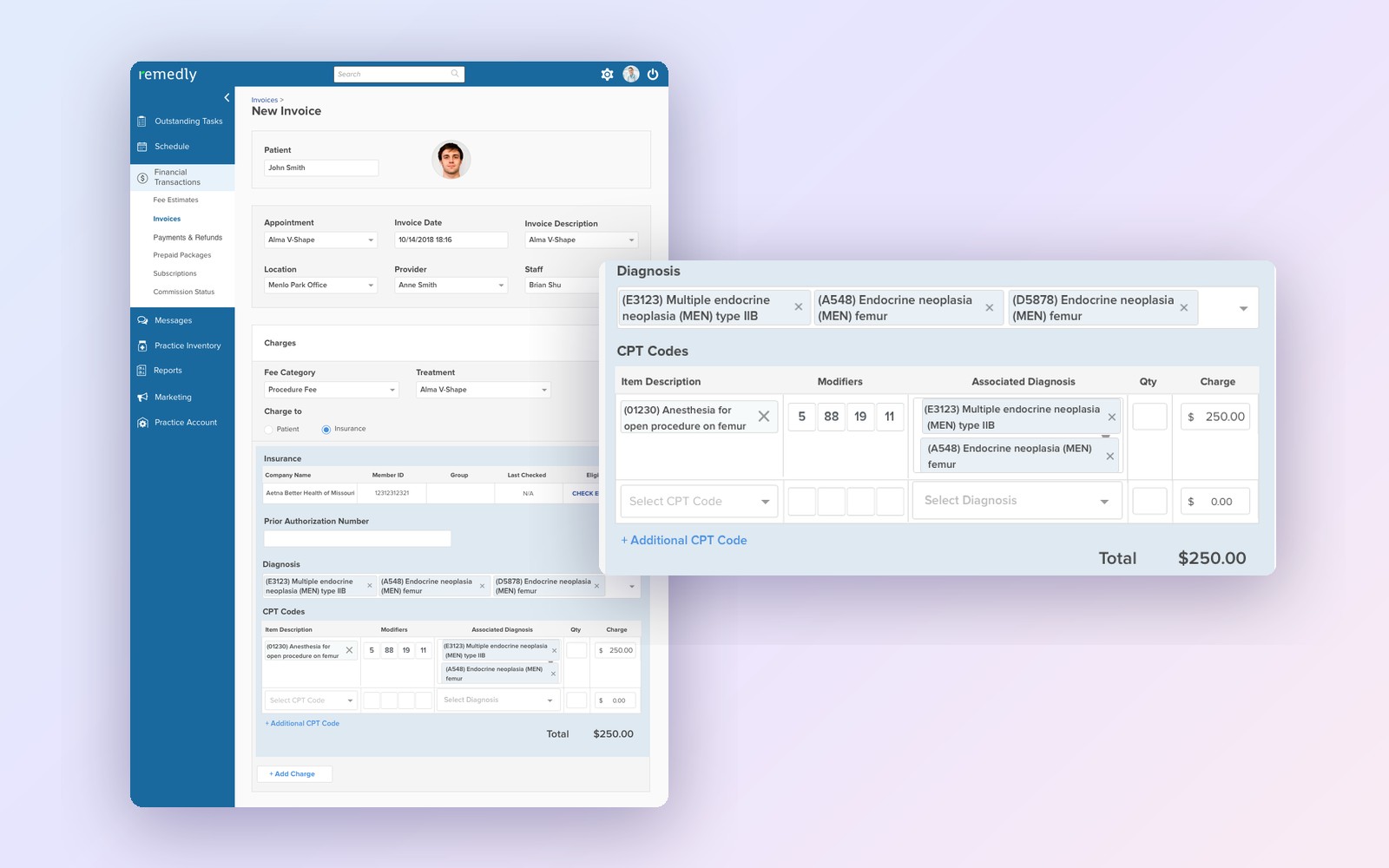
I designed Remedly’s RCM dashboard to help billers see claim status, prioritize exceptions, and take action from one place.
Recreated with Claude from the original product designs.
Overview
Billing work spans more than one queue
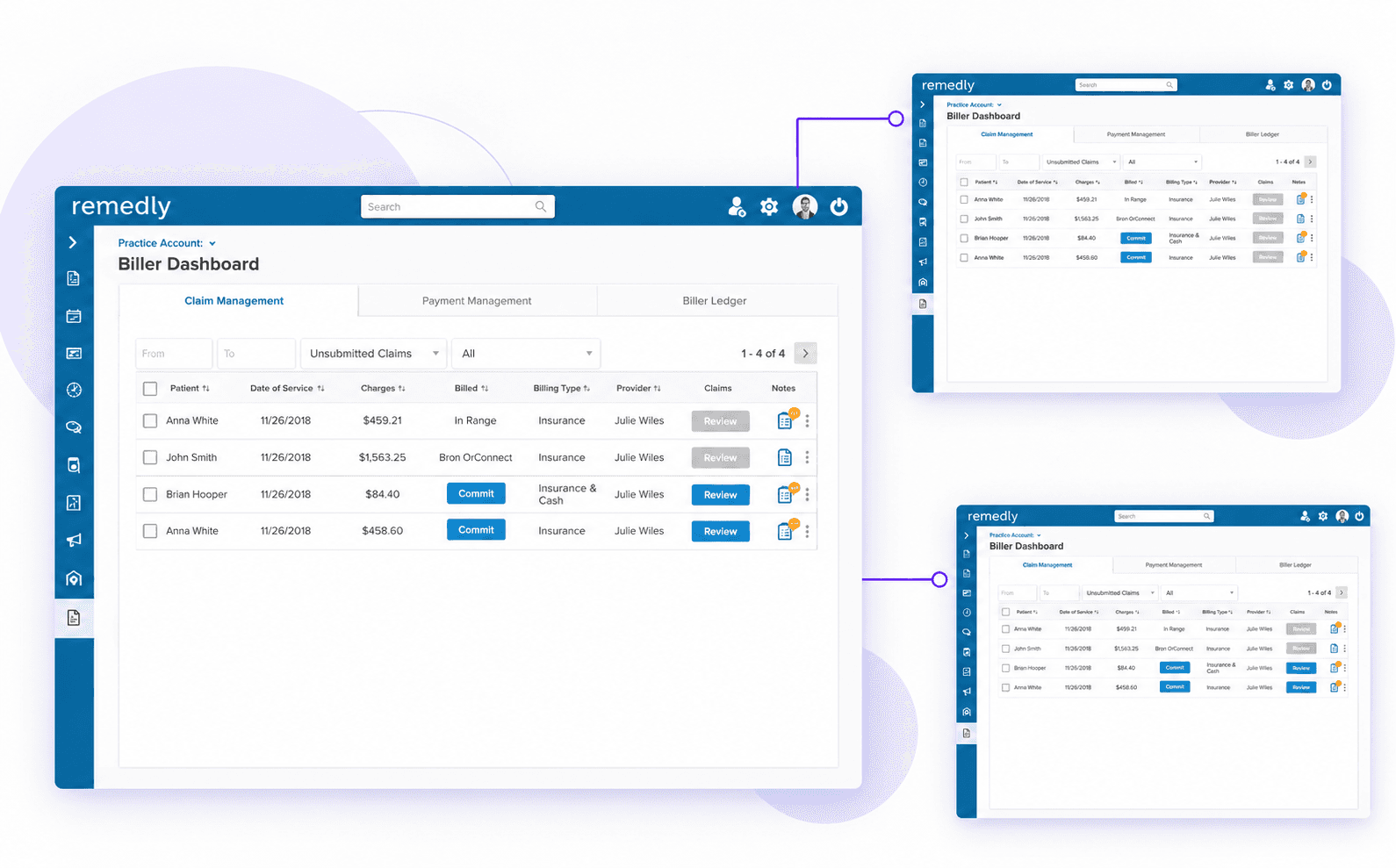
Billers move between claim management, payment management, and the billing ledger to understand what needs attention. I brought these workflows into a clearer dashboard structure, with status, filters, and actions easier to find.
Problem
Billing work doesn’t follow a straight line
Claims can stall, return for review, or need follow-up. The dashboard needed to make status and ownership visible so billers could decide what to do next without losing context.
01 DiscoverResearch & discovery
Understanding the full billing lifecycle
I mapped how claims move through the billing workflow, from submission and review to payment and follow-up, to identify where billers needed clearer status and next steps.
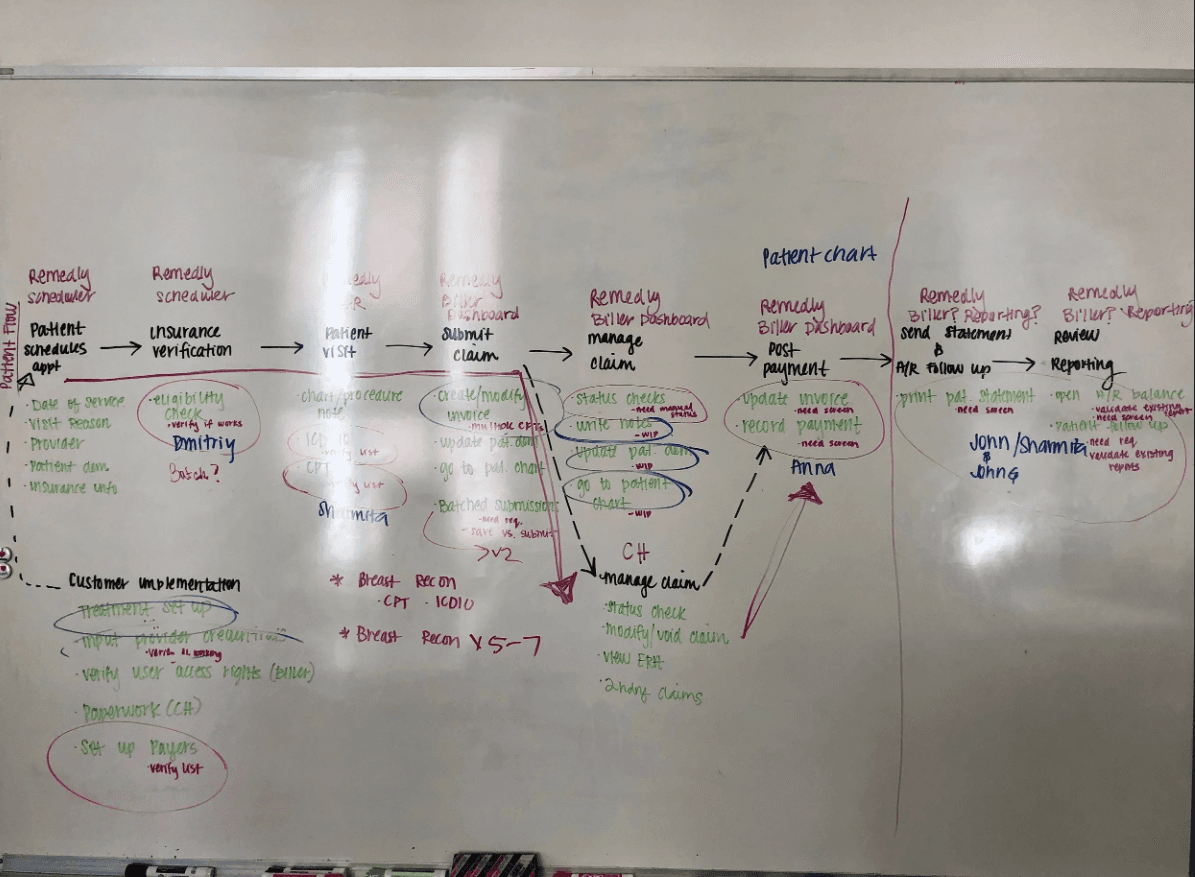
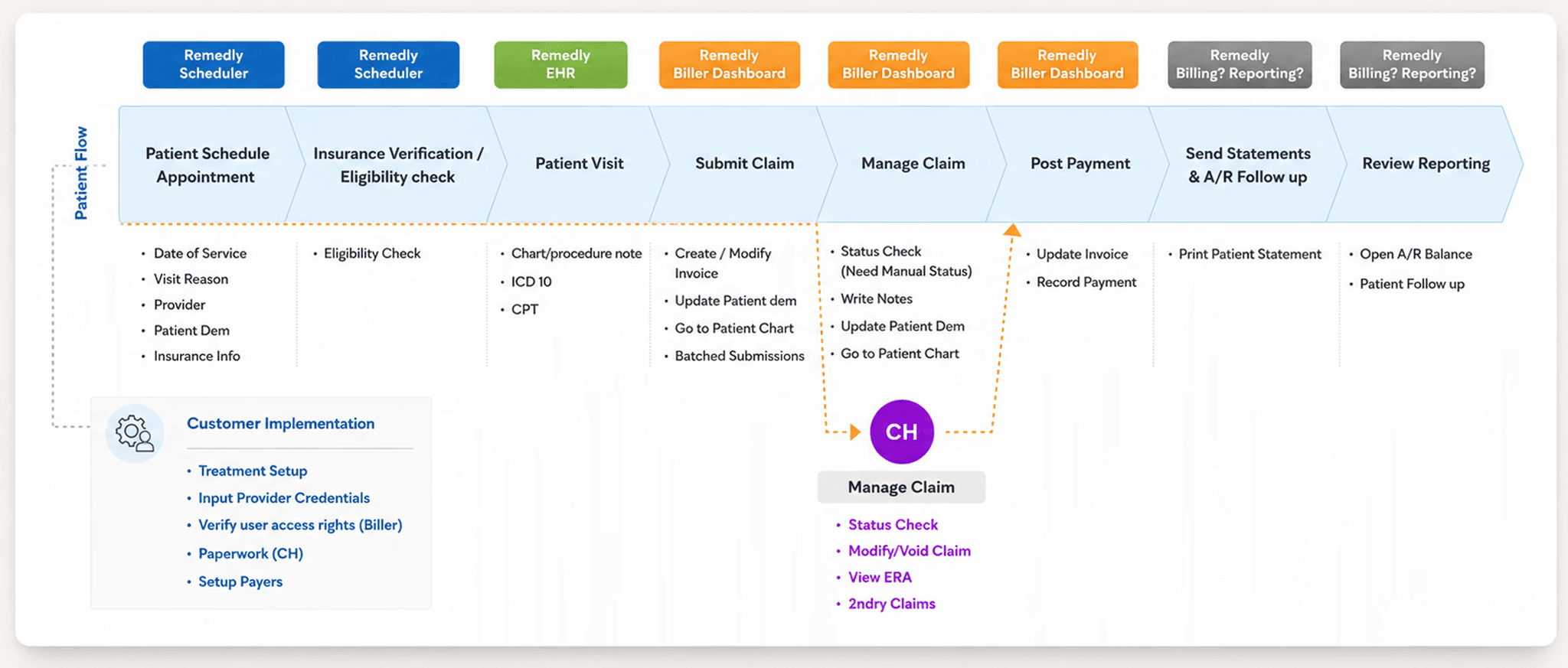
Determining the user flow
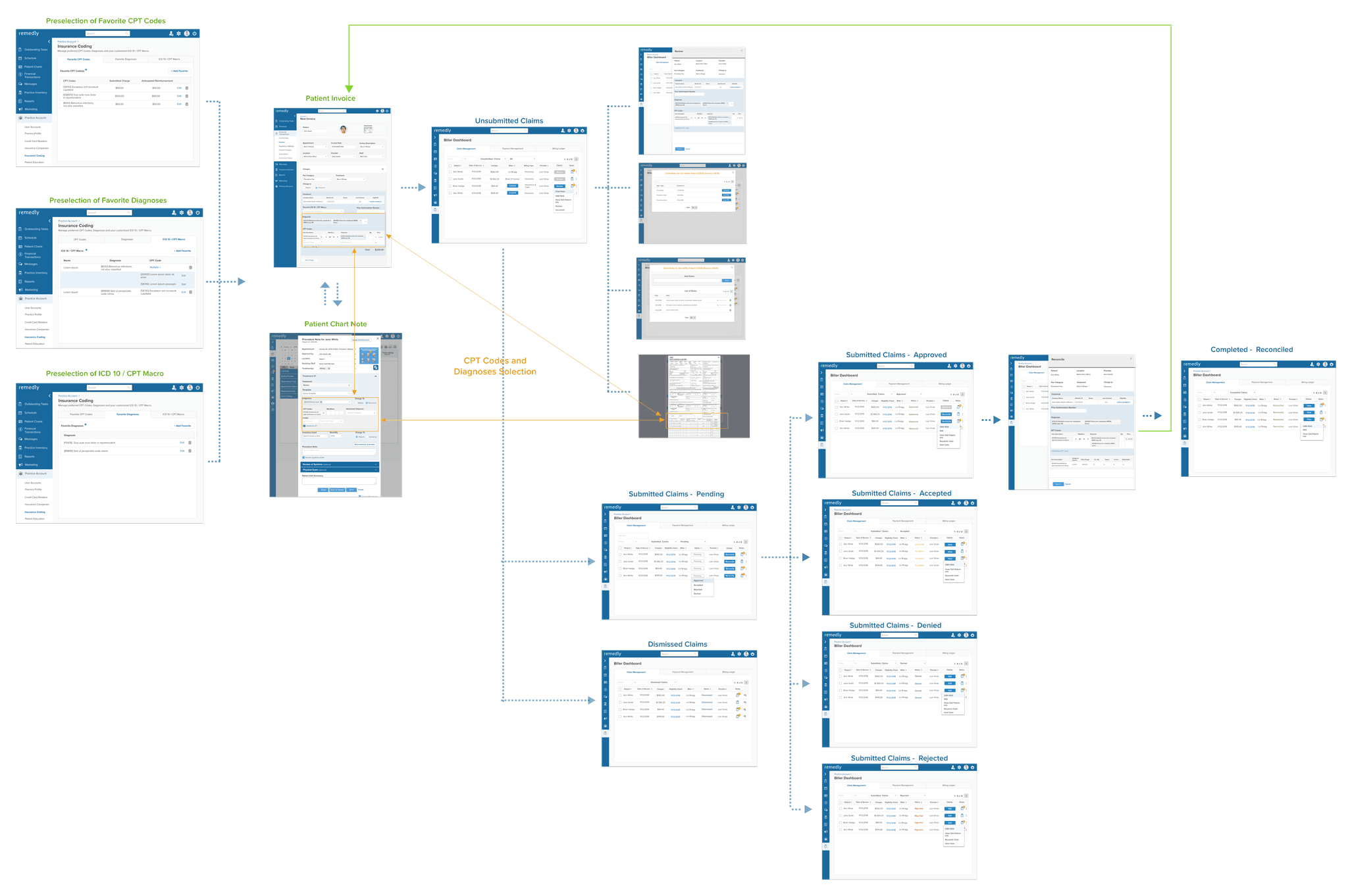
02 DefineDesign principles
Four principles that guided the design
Reduce cognitive load
Billers shouldn’t have to search for what to do next.
Clarity over density
Show what matters now, not everything at once.
Lead with status and next actions
Exceptions need to be visible immediately, not buried in text.
Support novice and expert billers
Provide power without overwhelming the users.
03 TestUser testing
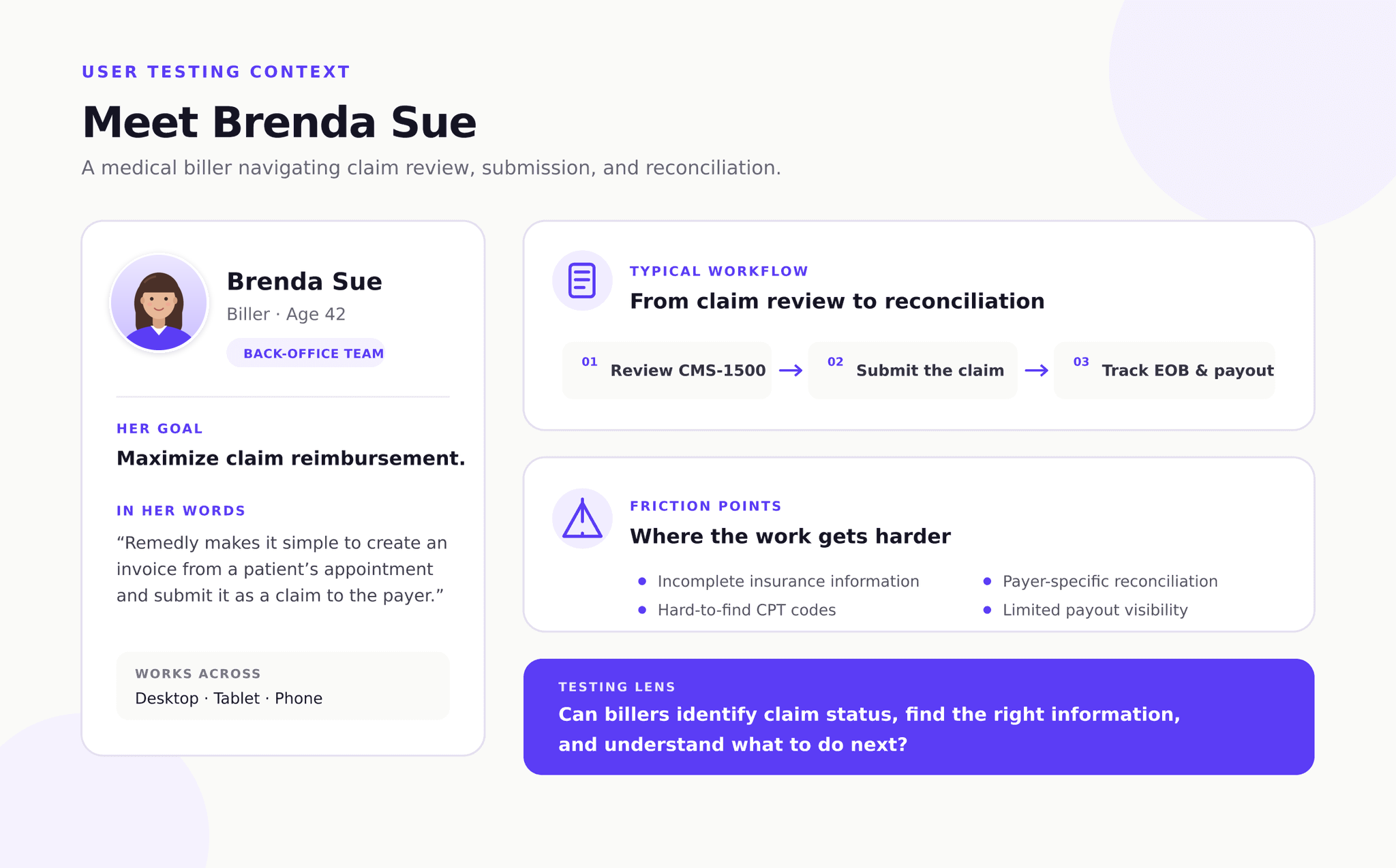
Testing with multiple billers
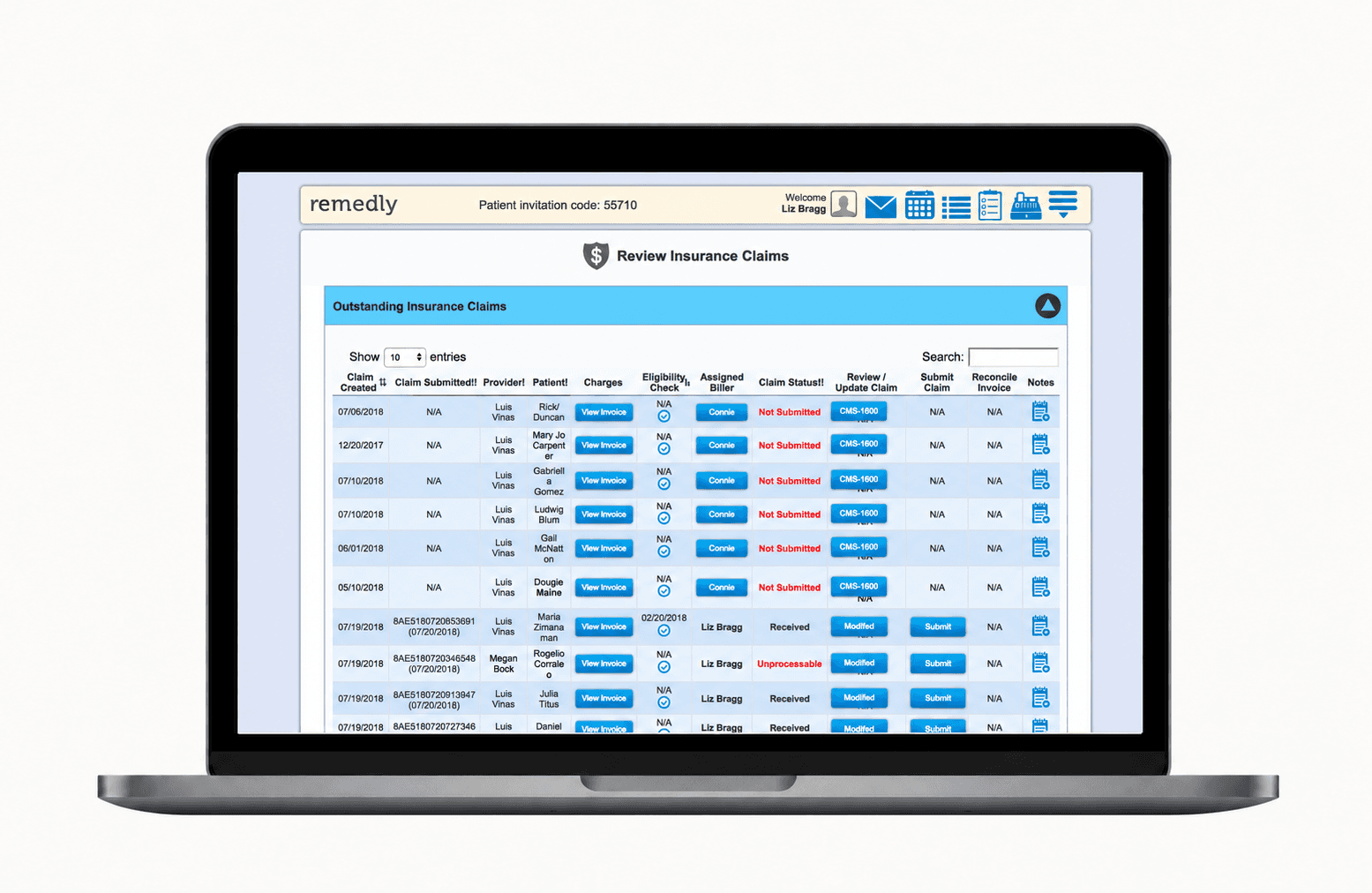
We tested early dashboard concepts with multiple billers to understand how easily they could identify approved claims and find the right next action. Their feedback helped us refine the claim queue and keep common actions accessible from each claim.
04 LearnResearch synthesis
What billers needed
Three needs shaped the dashboard direction.
Make claims easier to understand
Clarify claim types and statuses so billers can spot what needs attention.
Support the full workflow
Make billing-stage ownership and claim documentation easier to manage.
Keep actions close to the work
Bring key claim actions into the dashboard, right where billers need them.
05 DeliverNew design
A dashboard that communicates status at a glance
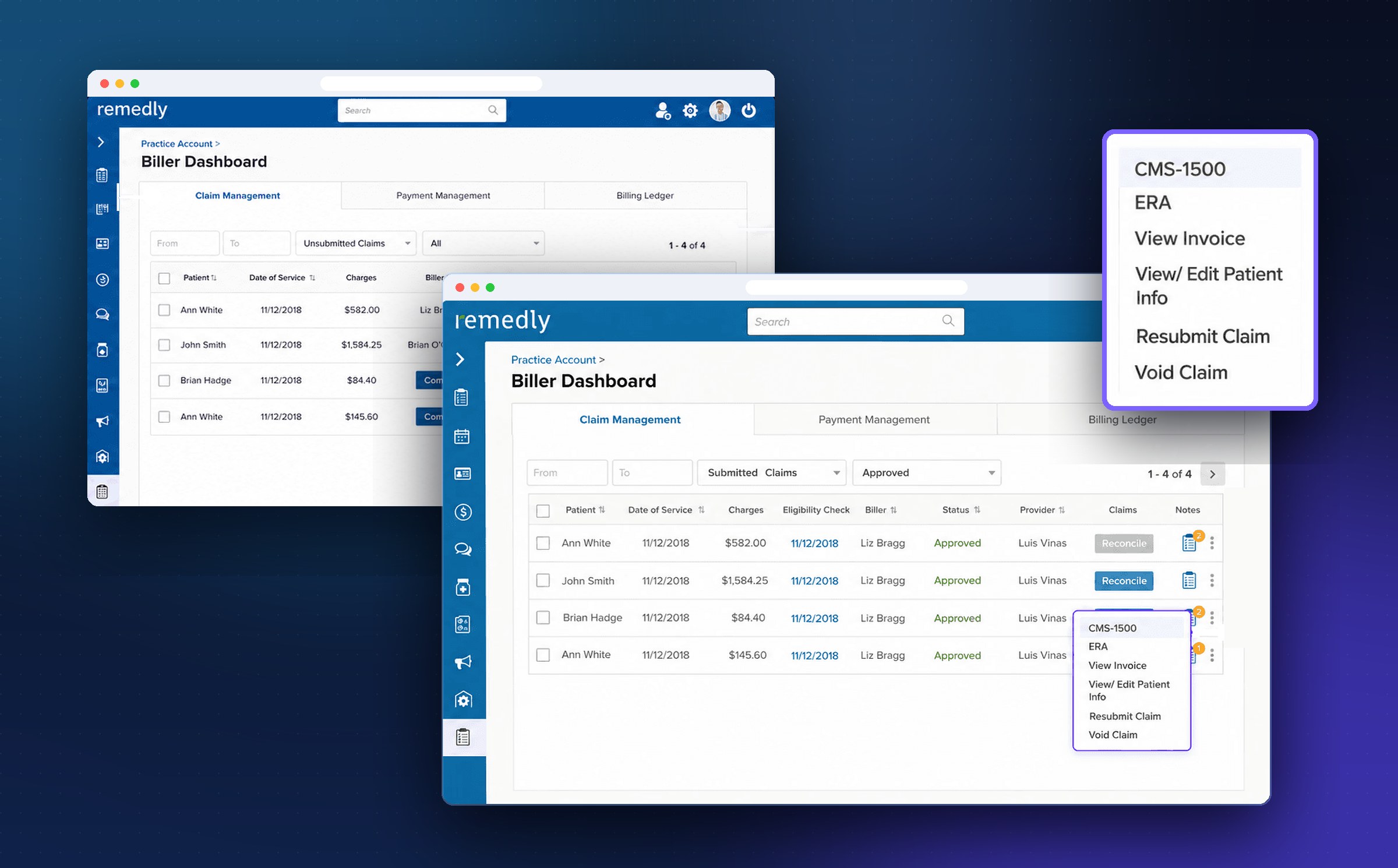
I organized the dashboard around three work areas: Claim Management, Payment Management, and Billing Ledger, and made key filters, claim statuses, and inline actions easier to scan.
Clear work areas
Segmented the workflow into Claim Management, Payment Management, and Billing Ledger.
Next best actions
Focused filters and claim queues made the next best actions visible.
Less context switching
Inline actions, owner visibility, and notes reduced context switching.
06 OutcomeImpact
A clearer path from claim to resolution
The new Biller Dashboard brings claim management, payment management, and the billing ledger into one place, so billers can see where every claim stands and what to do next without switching screens.
Status at a glance
Claim queues and focused filters surface what needs attention first.
Actions where the work happens
CMS-1500, ERA, invoices, patient info, resubmits, and voids open right from each claim.
Shaped by billers
Testing with billers refined the claim queue and kept common actions within reach.